
Clockin Kiosk App
Project overview
The Product
The Clockin app is a labor hour tracking application that allows users in the hospitality industry to clock in/out and take breaks from a central location, improving efficiency and accuracy.
Project Duration
One Day Challenge (April 2022)
The problem
The problem that this project aims to solve is the lack of an efficient and accurate way to track employee traffic, including their clock-in/out times and reasons for leaving or taking breaks.
The Goal
The goal of this UX design project is to create a concept design for a labor hour tracking application in the hospitality industry that can be easily accessed and used on a shared tablet device, achieved through a one-day design sprint.
My Role
UX designer, UX Researcher, UI designer
Responsibilities
Conduct quick research, explore best practices, gathering some ideas and create the main flow, digital wireframing and high fidelity prototyping
User Research Summary
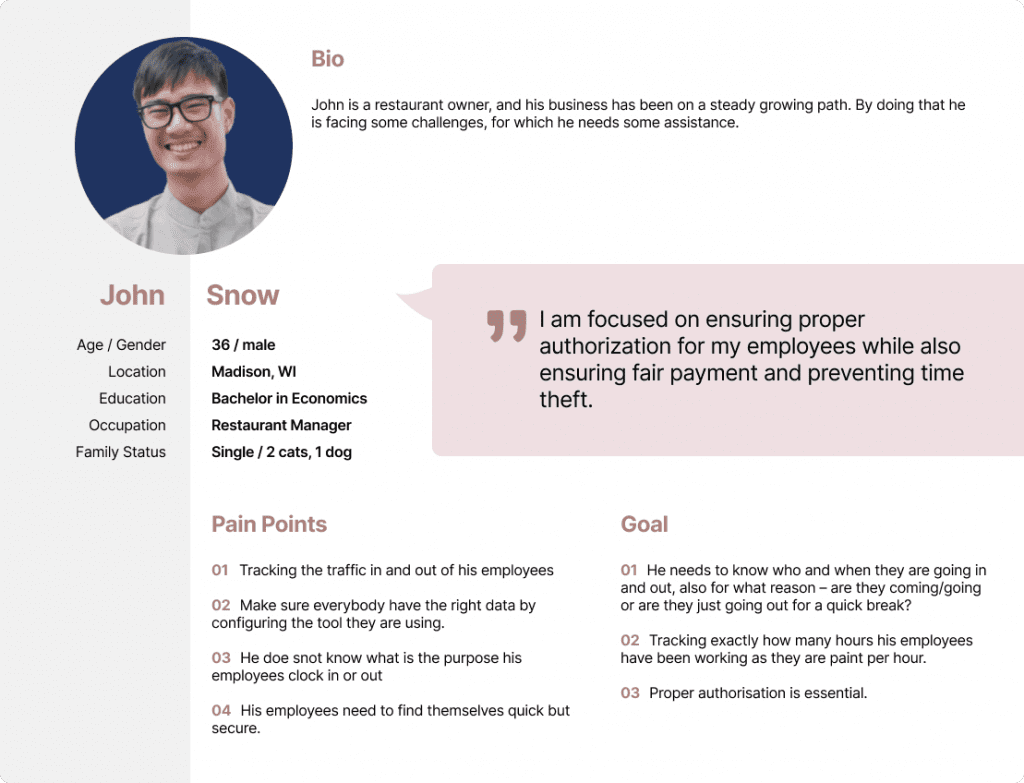
After reviewing the brief, I created a set of requirements that the design needed to follow, taking into account the manager’s need for a cheap and secure solution. Additionally, I conducted quick secondary research to identify potential user pain points and ensured that the design addressed them. The main persona, a small restaurant manager, remained the focus throughout the design process.
To address the user pain point of inefficient and inaccurate employee tracking, the Clockin app design solution needed to meet several requirements, including the need for a digital solution that was quick and easy to use. Additionally, the design had to ensure that the app was secure for employees, with proper authorization measures in place to protect their data.
Quick Process
In the beginning of shifts, there is a large influx of employees, so the clock-in/out process needs to be as quick as possible.
Easy to use
The clock-in process needs to be easy to use to ensure that employees can quickly and accurately record their hours without errors or delays.
Secure
The clock-in process needs to be secure for the employees to protect their personal data and prevethe spread of COVID-19.
Autorisation
Proper authorization in the clock-in process ensures accurate tracking of employee attendance and prevents time theft.
Personas
Hubertus's Problem Statement
Hubertus is a district manager who needs to quickly check the current status of his restaurant by phone because he is out of his office most of the time.
Ideate
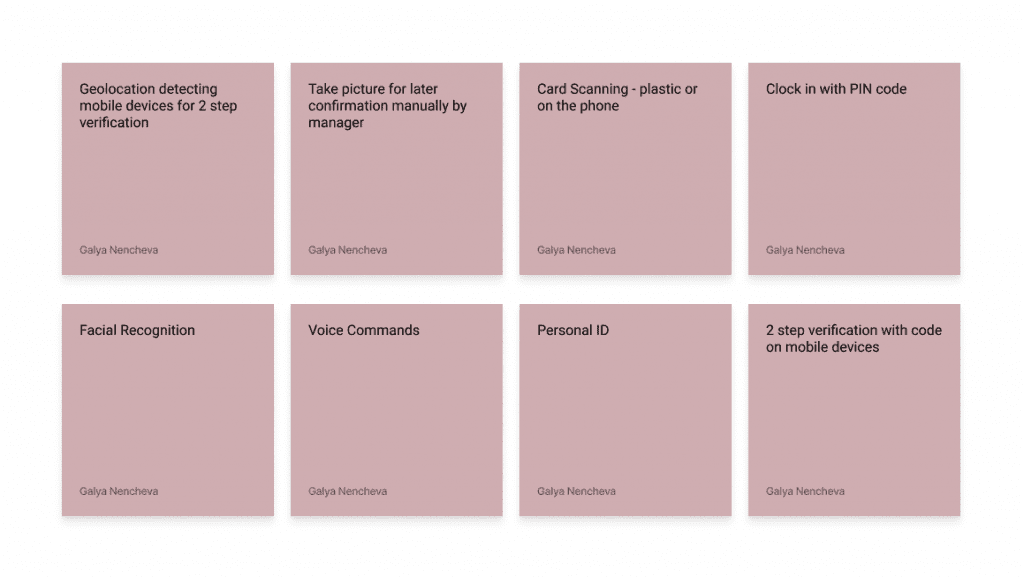
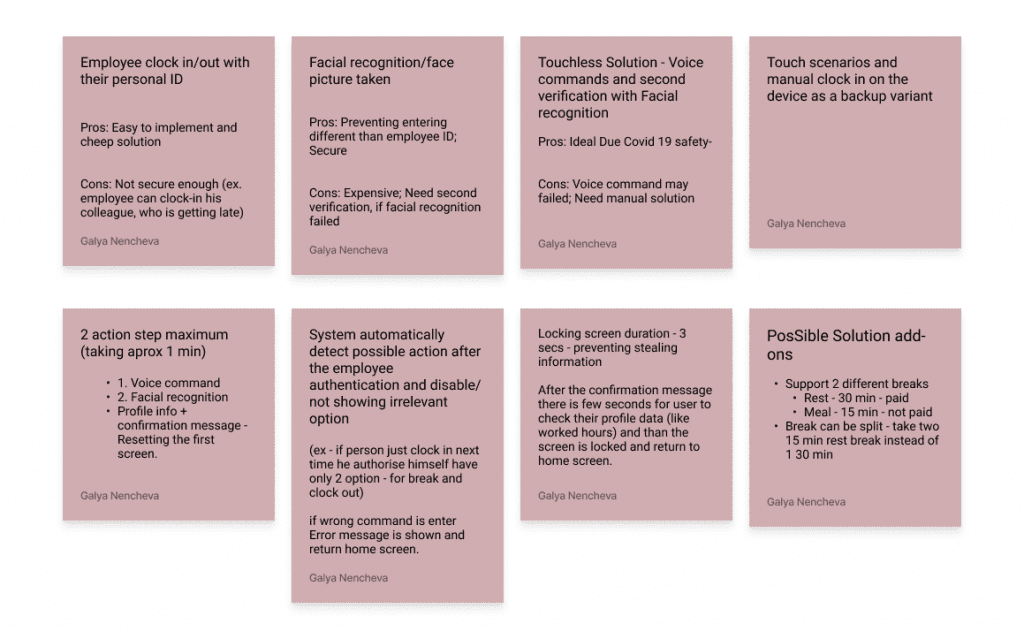
During the ideation phase of the design process for the Clock in app, I brainstormed potential design solutions to address user pain points and meet the project requirements, generating a range of ideas and concepts for consideration. I also conducted user research to gather insights to inform my design decisions.
User flows
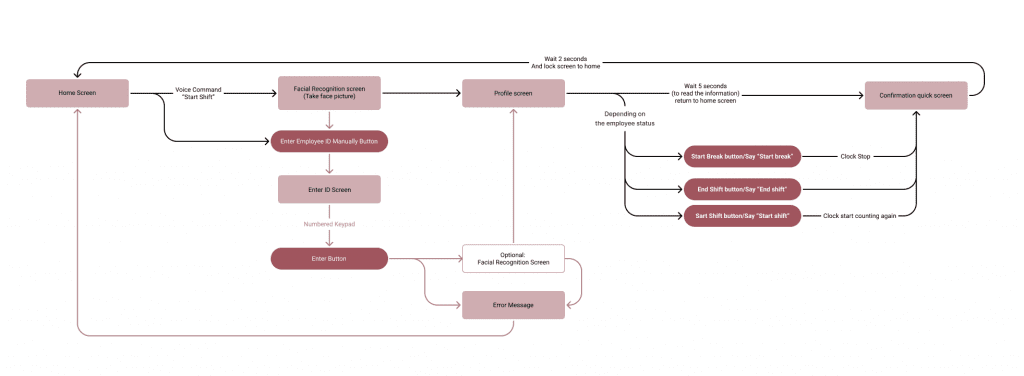
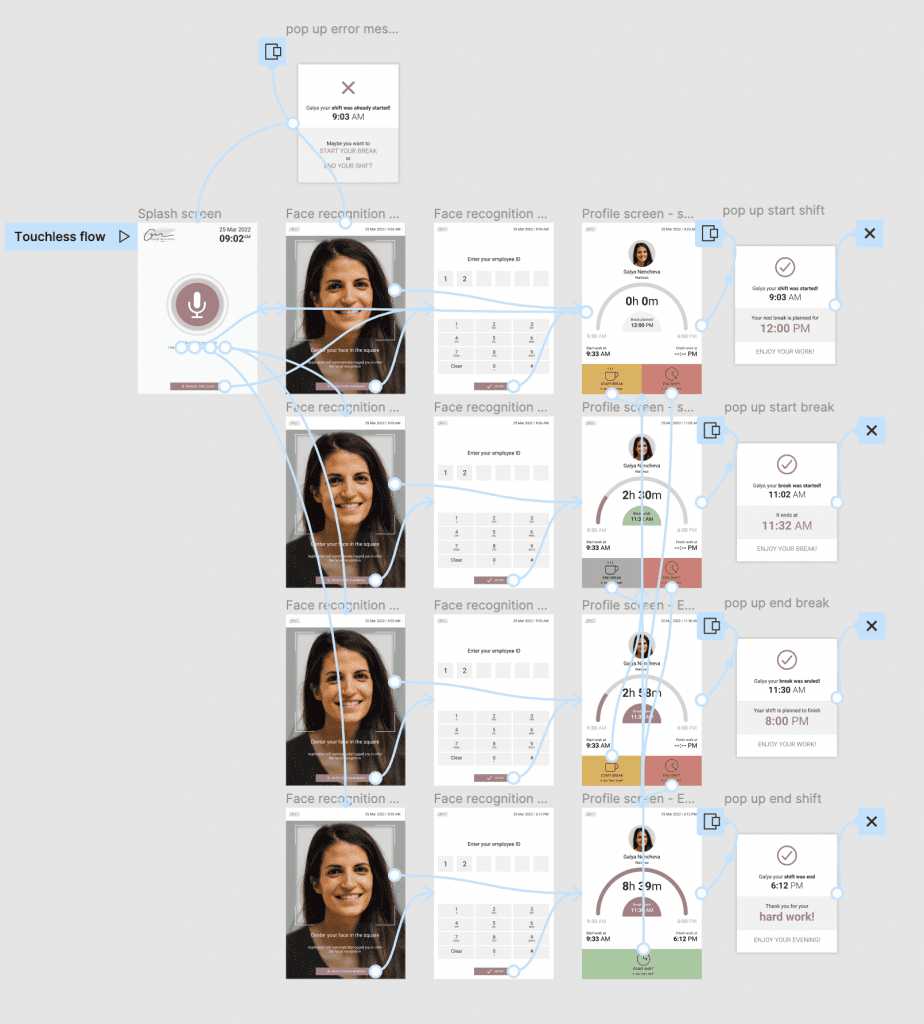
All four main flows – clock-in, clock-out, break-in, and break-out – follow the same structure: the user needs to authorize themselves, choose the action they want to perform, and confirm it, all with a high level of security.
Digital wireframes
Mockups
Hi-fi Prototype
Digital Wireframes
Skeleton UI
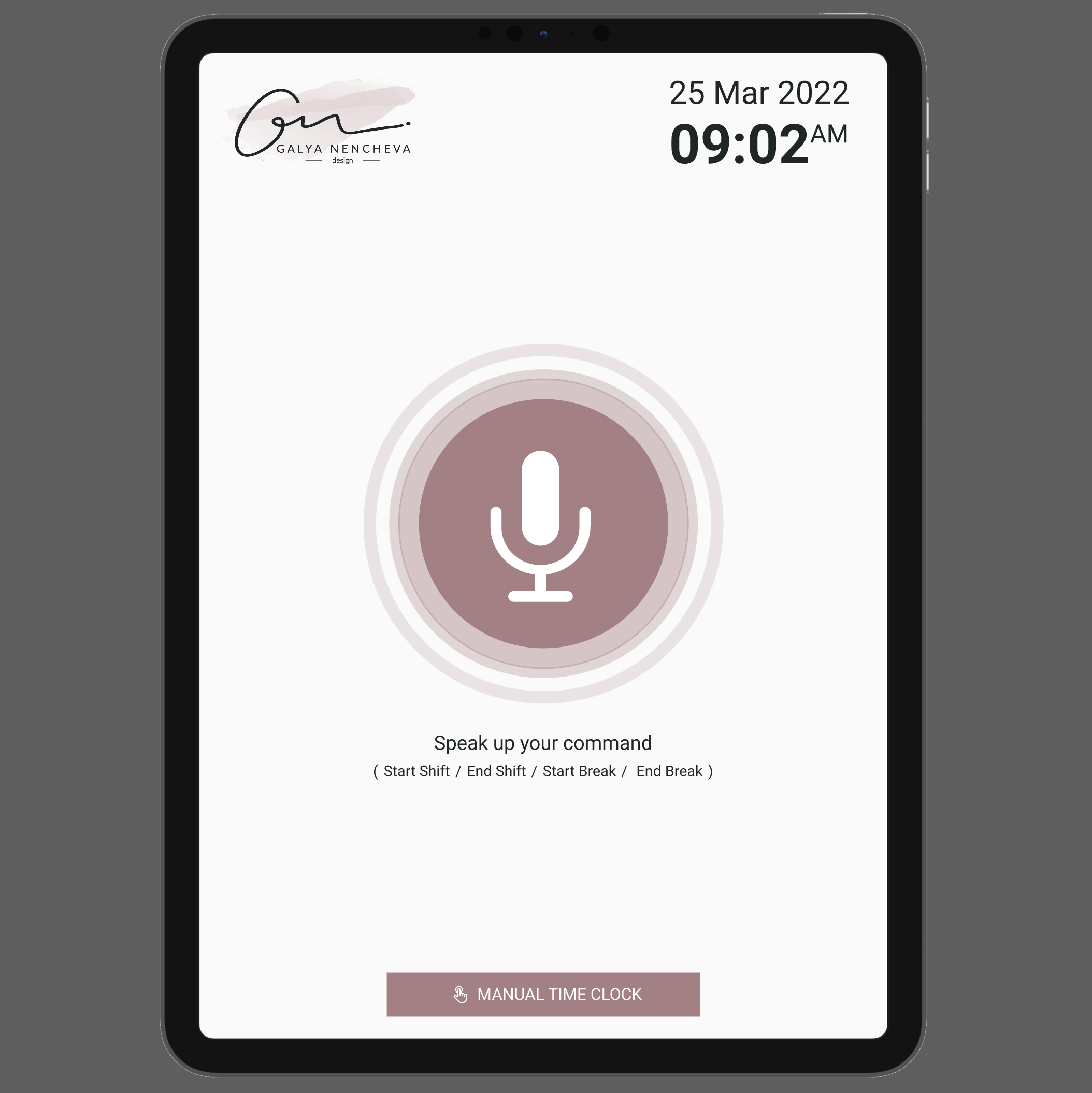
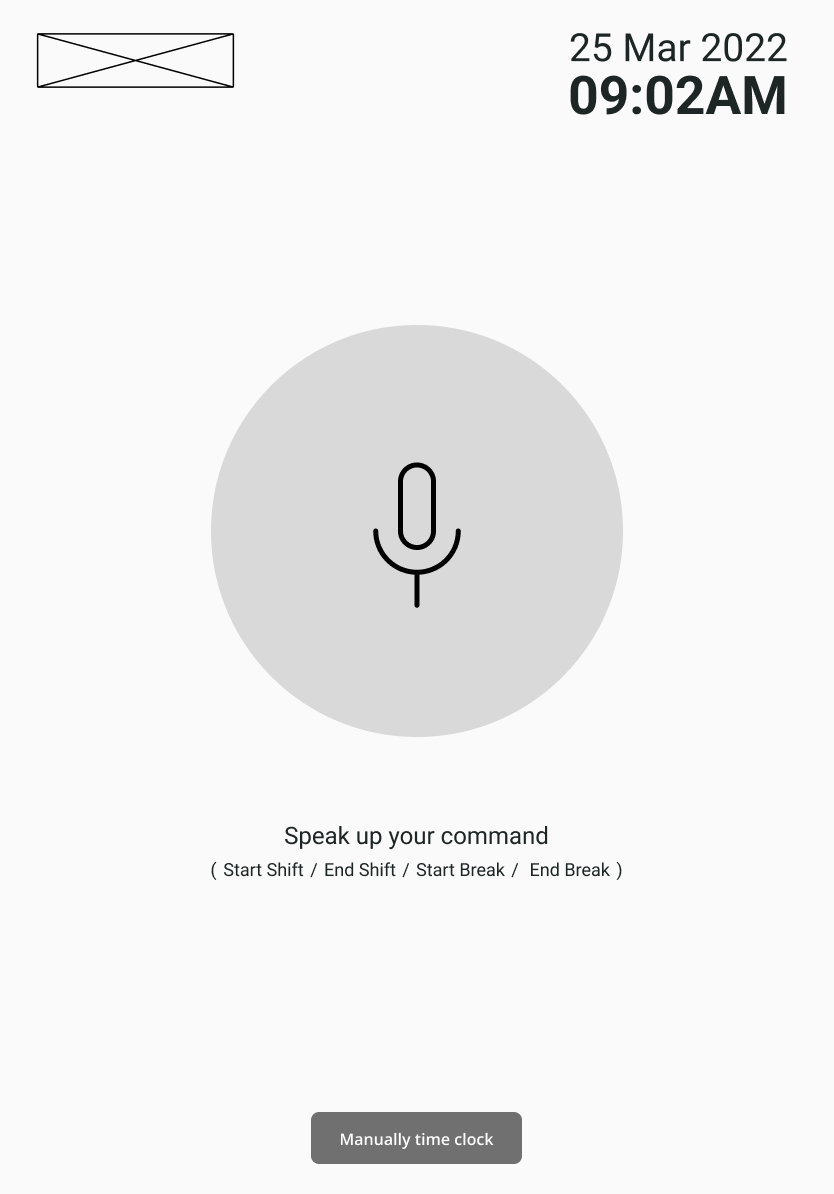
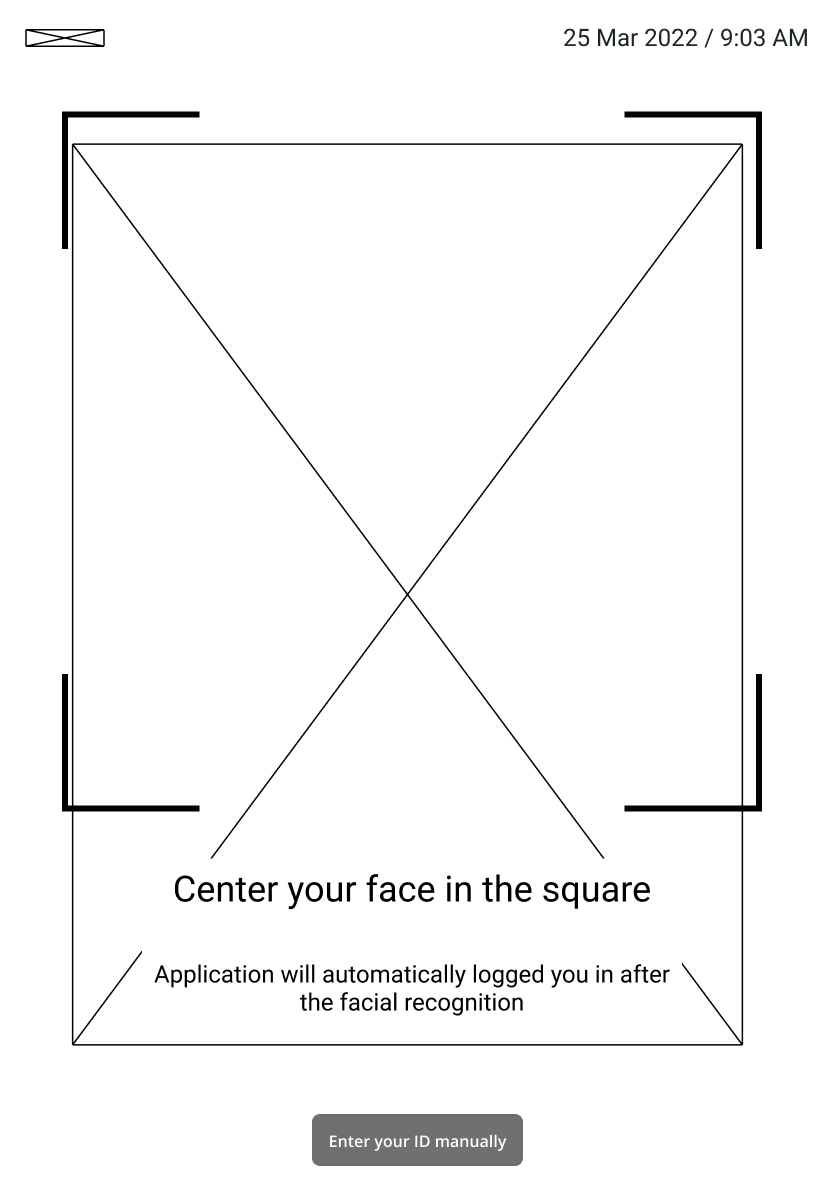
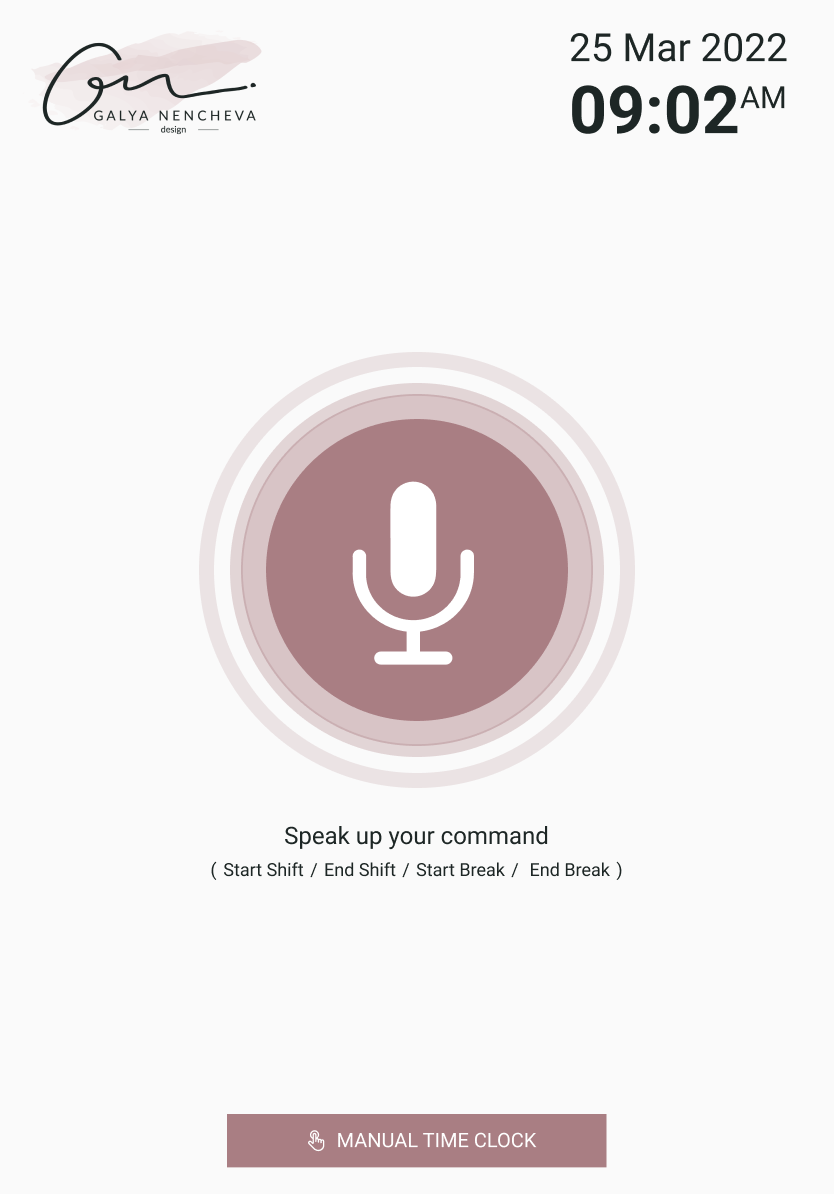
During the design process for the Clockin app, I created wireframes to visualize the user flow and interface design. To address the risks associated with COVID-19, I incorporated voice control and touchless solutions into the app’s design, with an option for manual code entry as backup. For added security and ease of use, I also integrated facial recognition technology. I do my best and ensured that the app met the project requirements and provided a seamless, secure, and efficient experience for users.
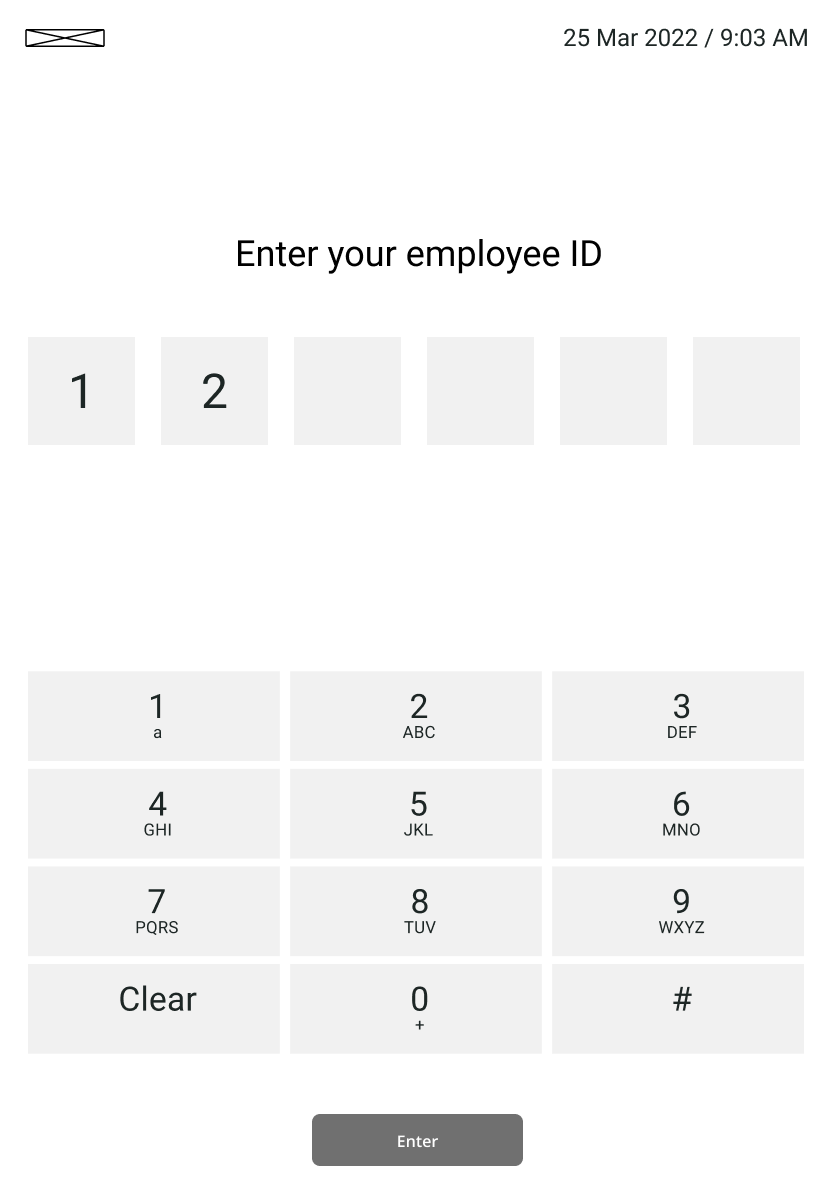
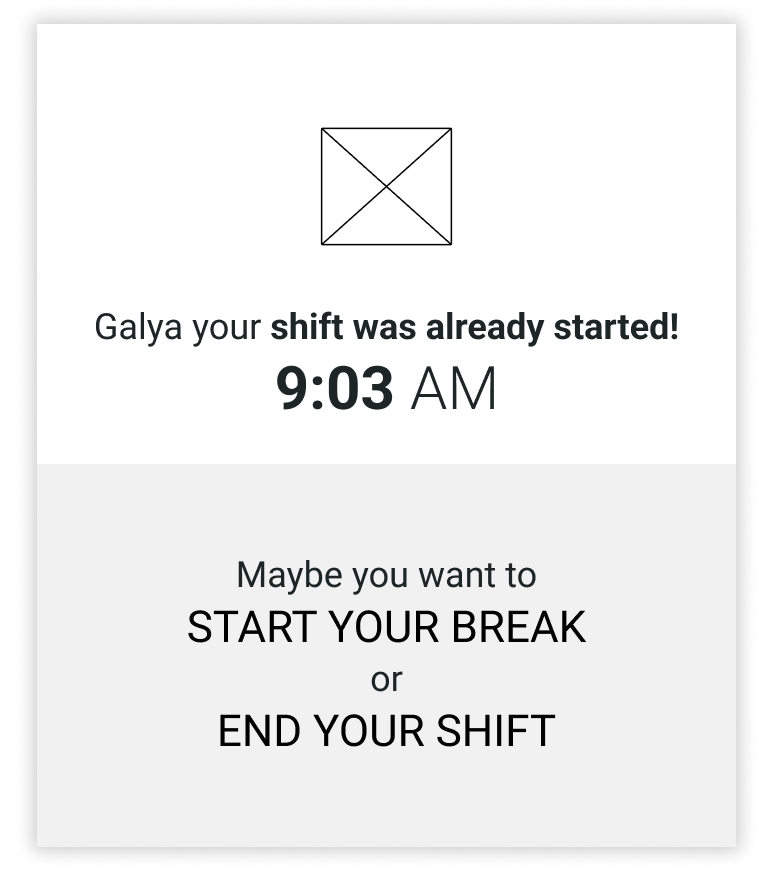
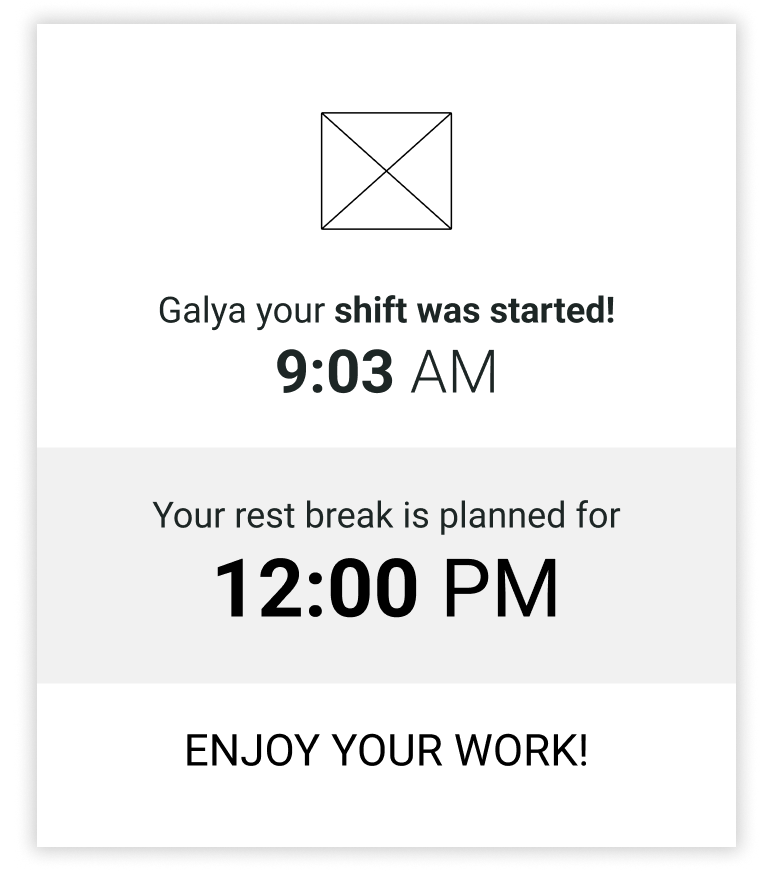
Mockups
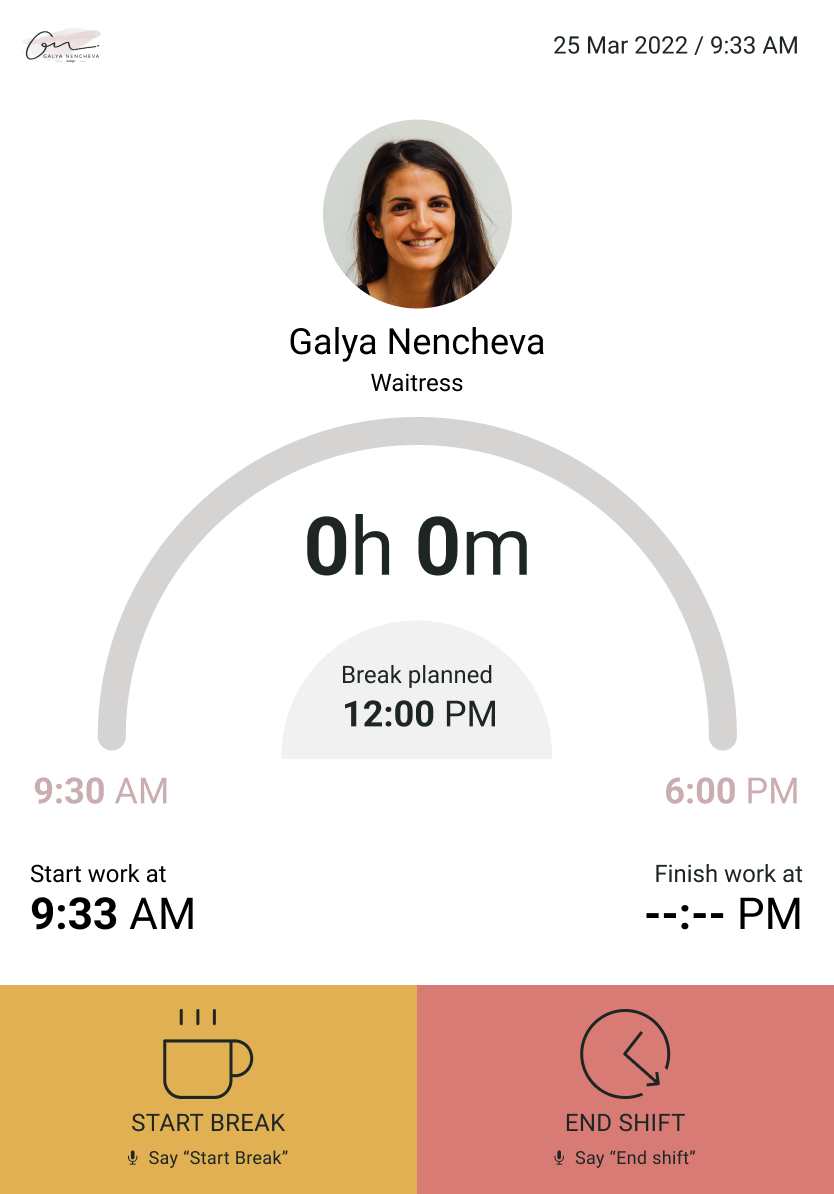
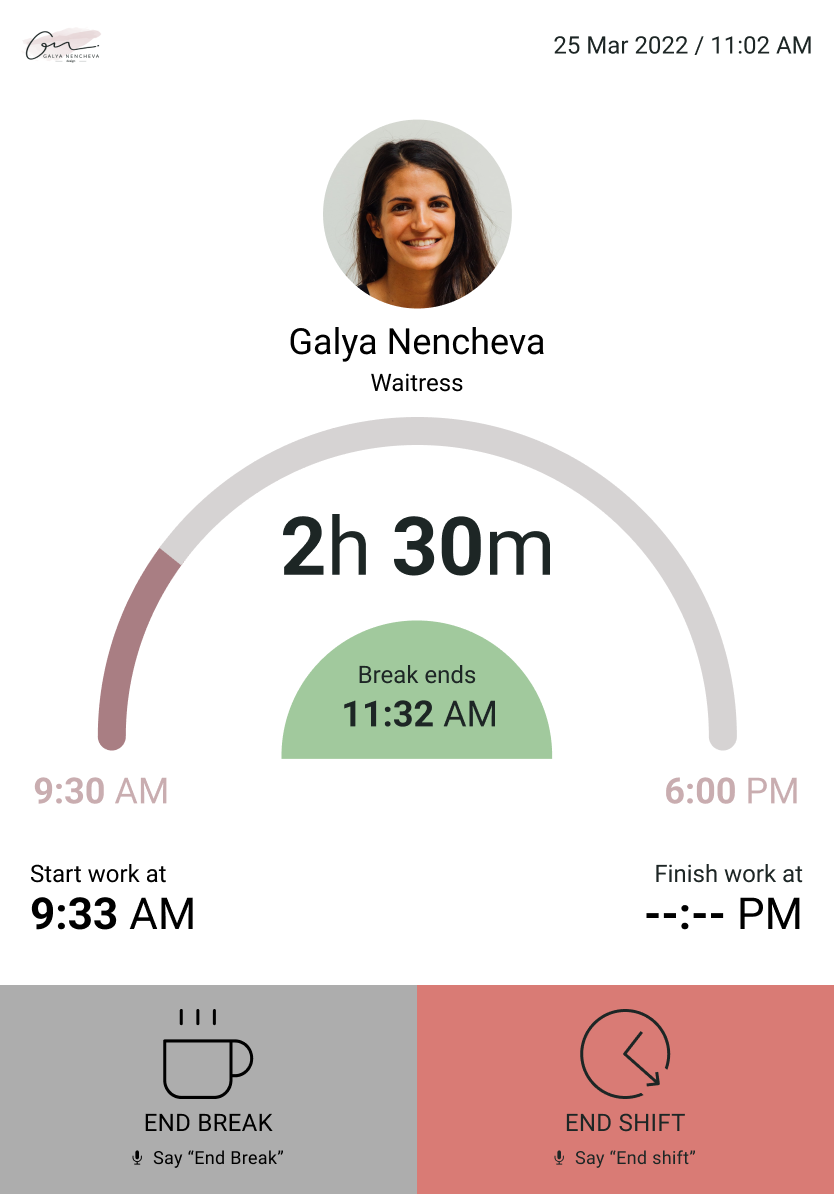
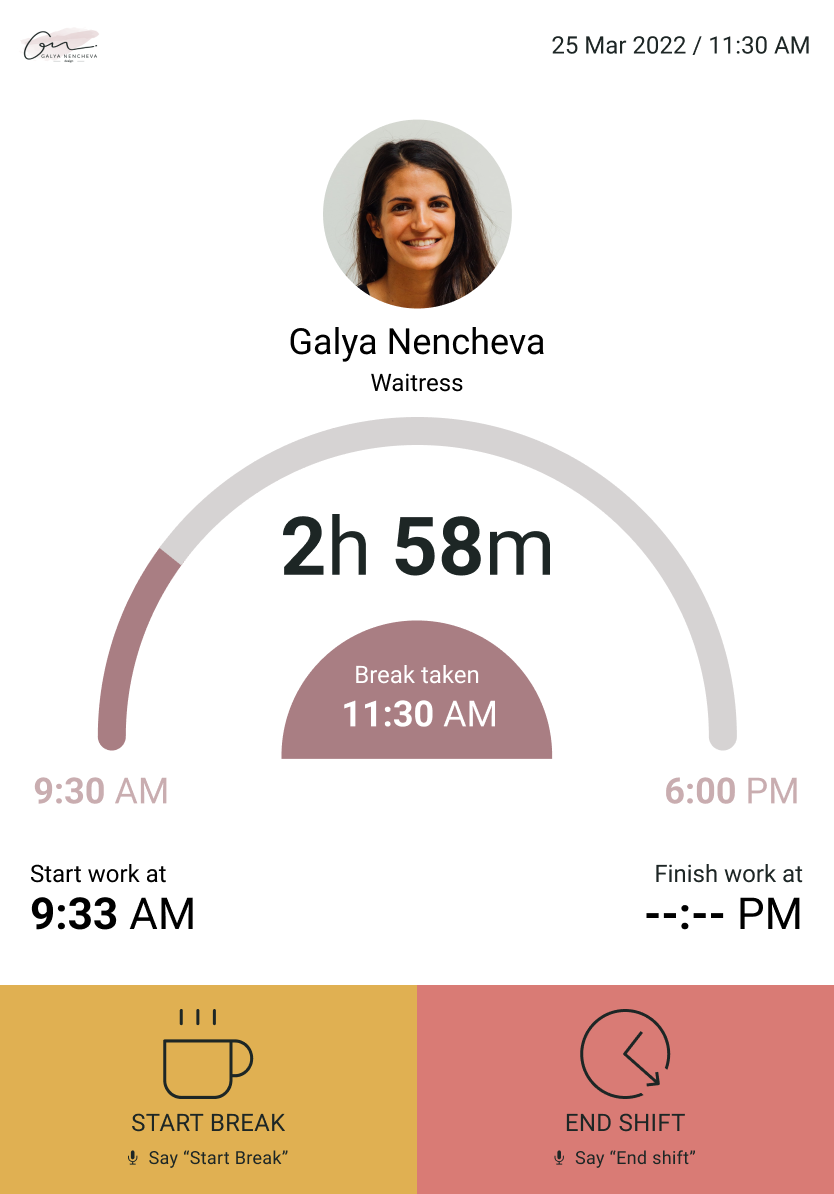
After fine-tuning the design, I ensured that it met accessibility standards such as color contrast, touchable areas, readability, and other design considerations. This resulted in a more inclusive and user-friendly Clockin app for employees of all abilities.
In the limited time frame of 1 day, I also created a sticker sheet for the Clockin app, outlining the colors, fonts, and other design elements used throughout the interface. This helped to ensure consistency and efficiency in the design process.
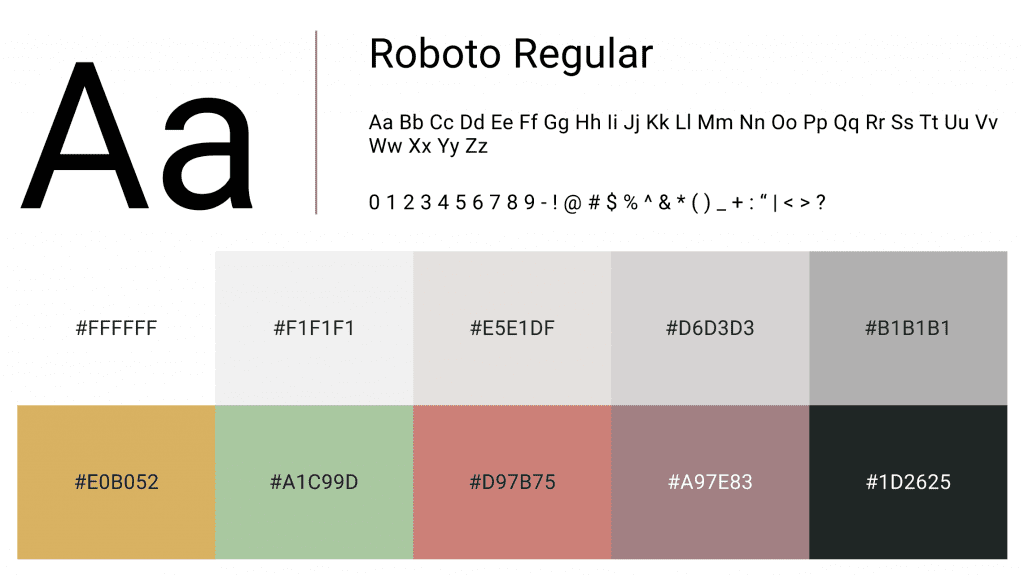
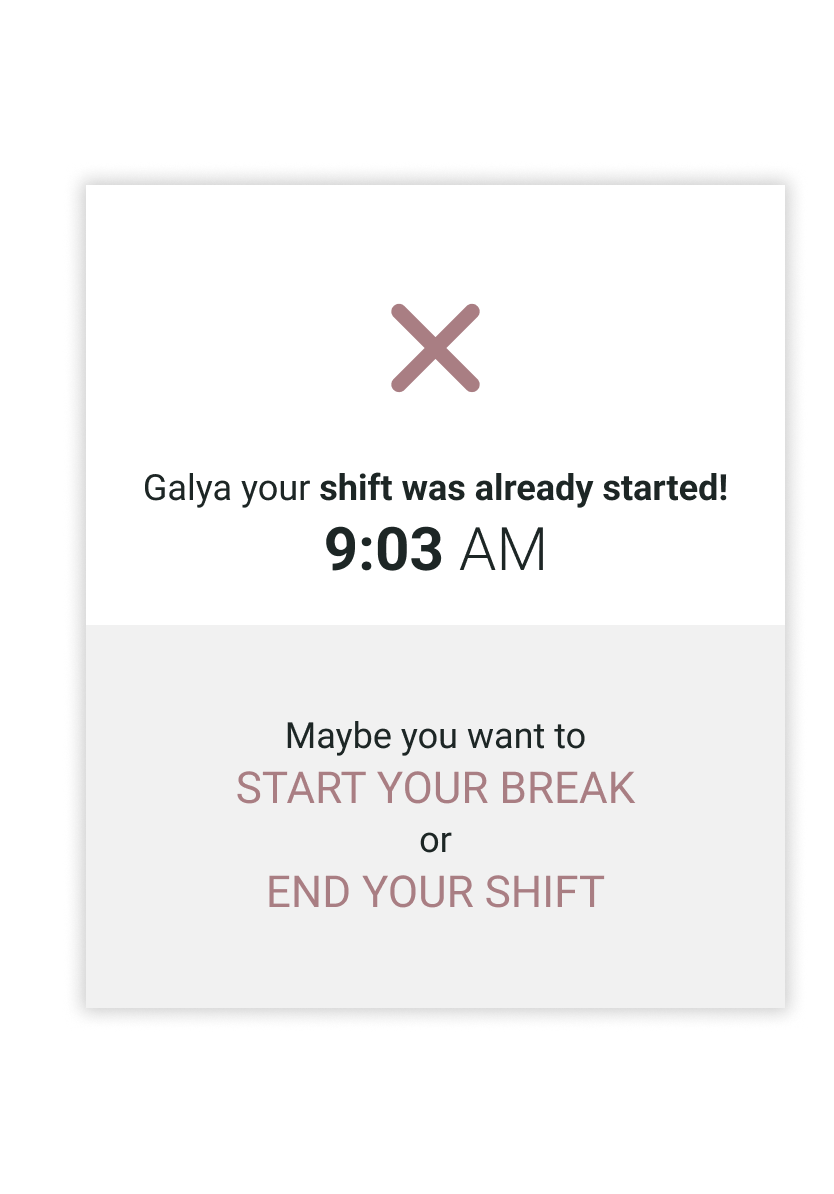
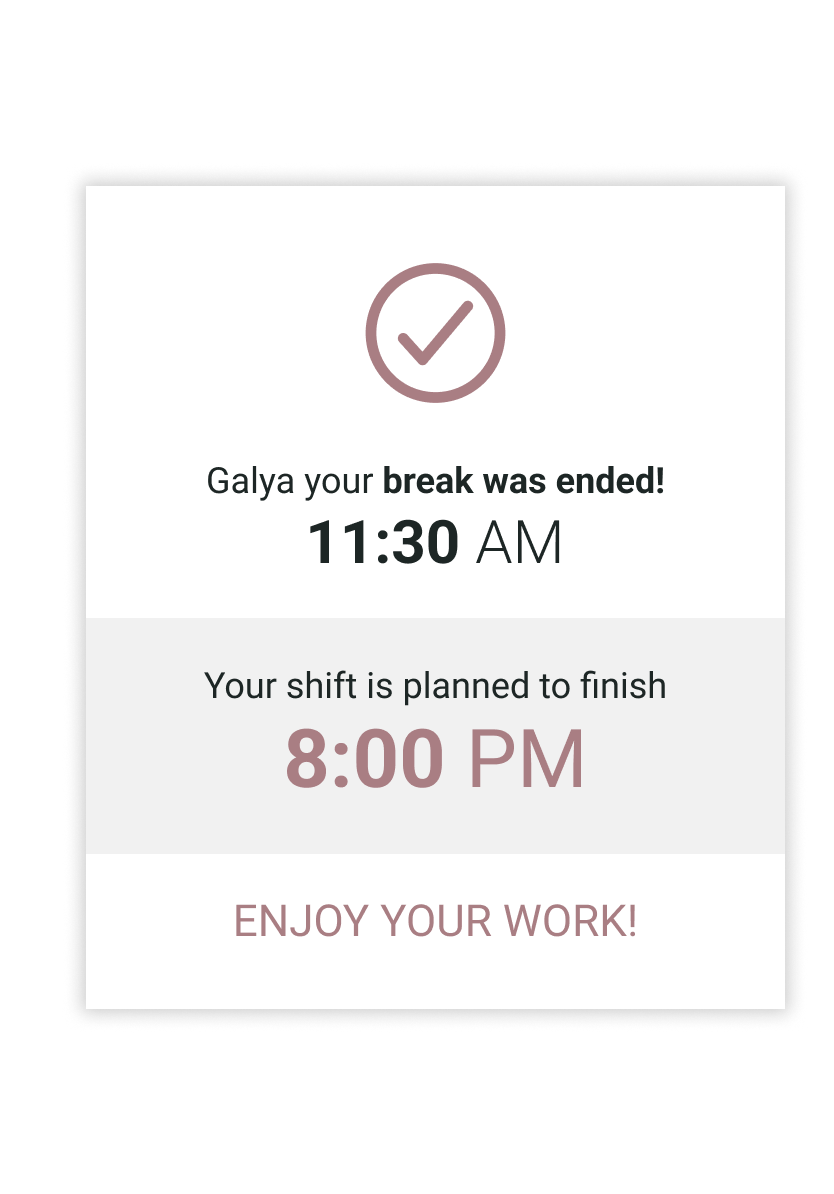
The final UI for the Clockin app features a simple and intuitive design with clear calls-to-action for clocking in, taking breaks, and clocking out. Each action is color-coded for easy recognition, with green indicating clock in, yellow indicating a break, and red indicating clock out. The app’s user interface has been optimized to provide an efficient and user-friendly experience for the manager and employees alike.
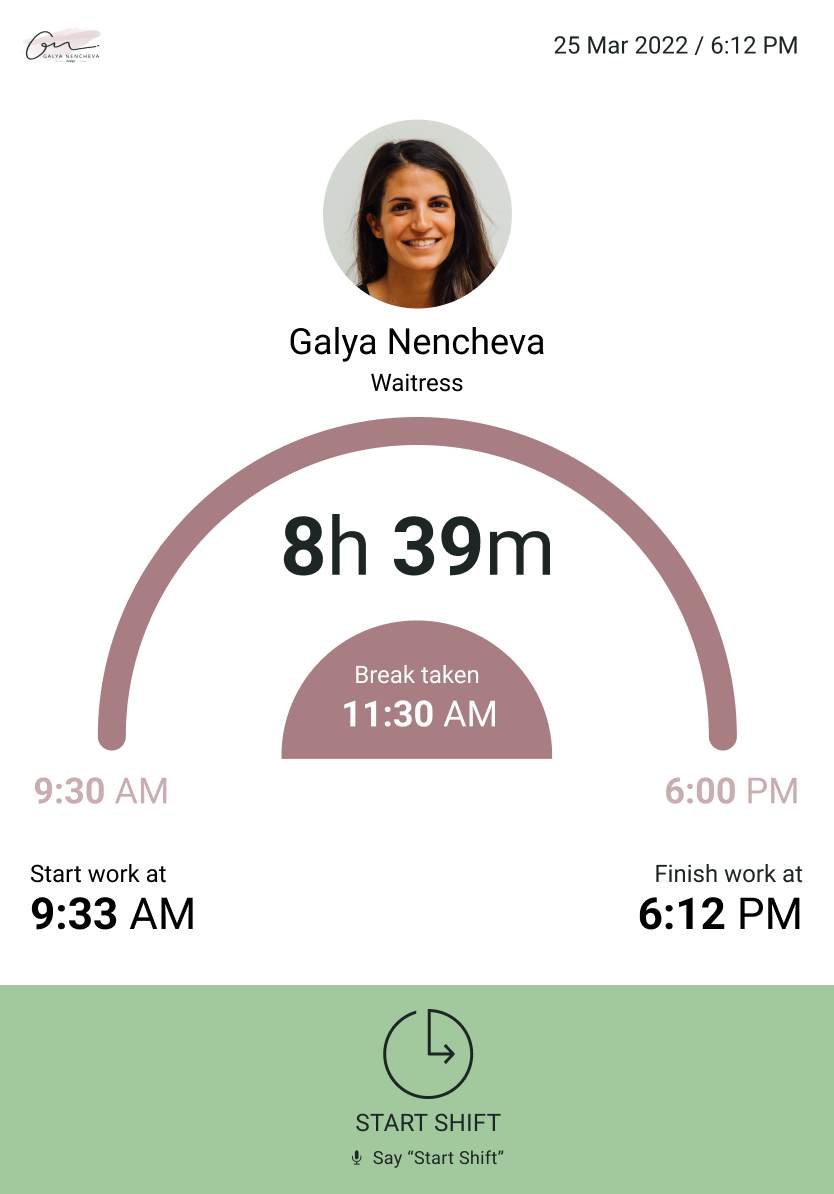
Hi-fi prototype
After finalizing the UI design, I proceeded to turn the mockups into a prototype that would represent the real user experience. However, due to software limitations, the voice command feature had to be changed to a click-based system, which still provided a touchless solution. The prototype allowed me to test and refine the user flow, ensuring that the clock in, clock out, and break actions were intuitive and easy to use, and that the color-coded performance indicators were effective in conveying information to the user.
Takeaways
Next Steps
Takeaways
Impact
The Clockin app design challenge was a success as it showcased my design process and addressed the majority of the user pain points in a short amount of time. In my subsequent work on the actual Clockin app project, I was able to build on this foundation and refine the design to solve even more user problems, with any remaining issues likely stemming from a lack of information in the initial brief.
What I learned
Through this project, I have learned how to efficiently organize my research and design steps within a short amount of time, resulting in a simple yet effective solution. Furthermore, I realized that being open to alternatives and flexible in design thinking can lead to even better solutions
Wow, I never would have thought to use voice commands for clocking in, but it's so much easier and faster - great idea!
Product Owner
Next Steps
Integrate the Clockin app with Workforce Management systems to streamline employee data management and improve efficiency.
Develop a companion manager's app that provides tools for managing employee hours, rota, hourly pay, overtime, and other essential features for efficient workforce management.
Conduct real-world testing of the app in a restaurant environment to gather feedback and identify areas for improvement.
Continuously iterate on the app based on user feedback and market demands to ensure that it remains relevant and effective in meeting the needs of users.
Thank you!
Thank you for your time reviewing my work on the Clockin app! If you’d like to see more or get in touch, my contact information is provided below.