

NVMe-based Memory Tiering in vSphere
Project overview
The Product
vSphere is a comprehensive virtualization platform developed by VMware, designed to provide a centralized management system for IT infrastructures. It enables organizations to create, manage, and optimize virtualized environments by abstracting and pooling physical hardware resources, allowing for efficient management of compute, storage, and networking across multiple servers.
Project Duration
July 2023 - November 2023
The problem
The core challenge revolves around the pressing need to implement NVMe-based tiering due to its cost-effectiveness in comparison to existing solutions like Intel Optane Persistent Memory (PMem). However, the critical hurdle lies in the absence of software-enabled memory tiering functionality within vSphere. This necessitates a careful design approach to determine the optimal integration point within the vSphere infrastructure to enable and efficiently operate software-driven memory tiering using NVMe devices.
The Goal
The project's focus is on pinpointing the ideal integration point in the vSphere ecosystem for implementing NVMe-based tiering. This pursuit aims not only to harness cost benefits but also to pave the way for future automation and the execution of a unified global strategy through a single management interface.
My Role
UX designer, UX Researcher
Responsibilities
Conduct research and gather information from several teams, leading conversations and cross-functional workshops to discuss potential impacts to the rest of the system. Clarify the brief requirements and generate several scenarios and flows, creating digital wireframes and high-fidelity prototyping. Present solutions to stakeholders, considering accessibility, design system components and patterns, and iterate designs until final approval. Deliver approved solutions with final UI and document the project, supporting the development and QA teams until the final feature launch.
Research Summary
I conducted several internal interviews with the customer success team to grasp the core problems and explore potential solutions. Additionally, I conducted three interviews with prominent VMware clients, representative of the primary user group: large corporations managing infrastructure across more than 500 vCenters and thousands of hosts.
The proposed feature aims to facilitate an additional 20-24% memory expansion using NVMe devices, which are significantly more cost-effective than the currently utilized Pmem. Feedback from this user group validated initial assumptions, emphasizing that the feature’s value lies in its seamless integration without manual intervention. VI admins, already burdened by daily tasks, seek a scalable and fully automated solution for future deployment.
Cluster orchestrator
Users require a singular orchestrator for managing all clusters efficiently, enabling quick and straightforward activation or deactivation of functionalities.
Automation
Users seek automated processes to uniformly apply settings across all hosts, including compliance checks and remediation, streamlining management tasks.
Simple configuration
Users need an expedited method to designate device types and models for tiering purposes per host, coupled with straightforward reservation and release functionalities.
Insights & Alarms
Users require comprehensive insights into configurations and performance metrics, along with critical alerts for swift decision-making and action-taking capabilities.
Personas
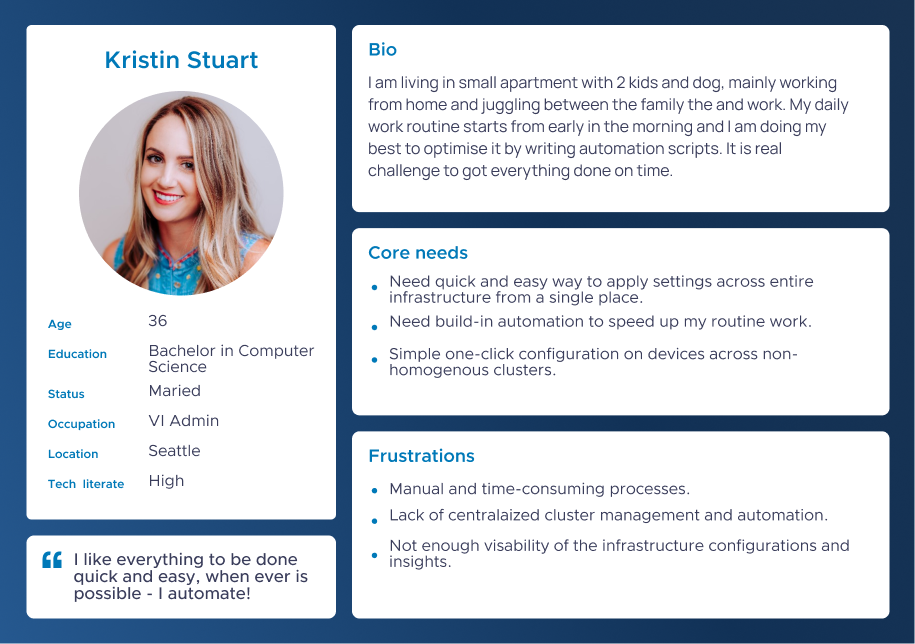
Kristin's Problem Statement
Kristin is a VI admin who needs quick and easy-to-apply memory tiering functionality to all hosts and automatically remediate them because she has limited time in her busy schedule.
User flows
During the exploration of the best design approach, I developed several scenarios and flows introducing different starting points for the user. This included enabling the functionality, setting it up at a cluster level, and further configuring it at the host level. Given the context of a corporation with thousands of hosts, my goal was to minimize manual setup while effectively presenting insights across various hierarchy levels. Simultaneously, I maintained frequent synchronization with the backend teams across multiple departments to ensure that the proposed ideas not only functioned correctly but also allowed for seamless implementation and future enhancements.


Create New UI
Use Config Manager
Version 1 - Create New UI
The initial scenario focused on exploring the most user-friendly approach suitable for non-tech users. While this solution was effective for this demographic, our target audience consists of tech-savvy individuals who prioritize speed over user interface. They were seeking an automated solution, as relying on user interface elements was impeding their efficiency. Moreover, in the long term, this approach lacks scalability concerning a unified management interface and automation capabilities.



E2E User story prototype
Design Solution Audit
Pros
Easy to follow UI
This approach offer easy to follow steps in separate UI.
Clear compatibility insights
User have a clear information about the devices which are empty and compatible for use.
Partial device reservation
User is able to reserve part of a whole device.
Cons
There are 2 host reboots
With this approach each host need to be shut down 2 times which is time and resources consuming.
No automated device reservation
There is no way to automate the device reservation - user need to go to each host one by one setup a device.
No automated compliance check and remediation
User need to go to each host one by one and manually put it on maintenance mode, remediate and reboot it.
Not scalable
In the long term, this approach lacks scalability concerning a unified management interface and automation capabilities.
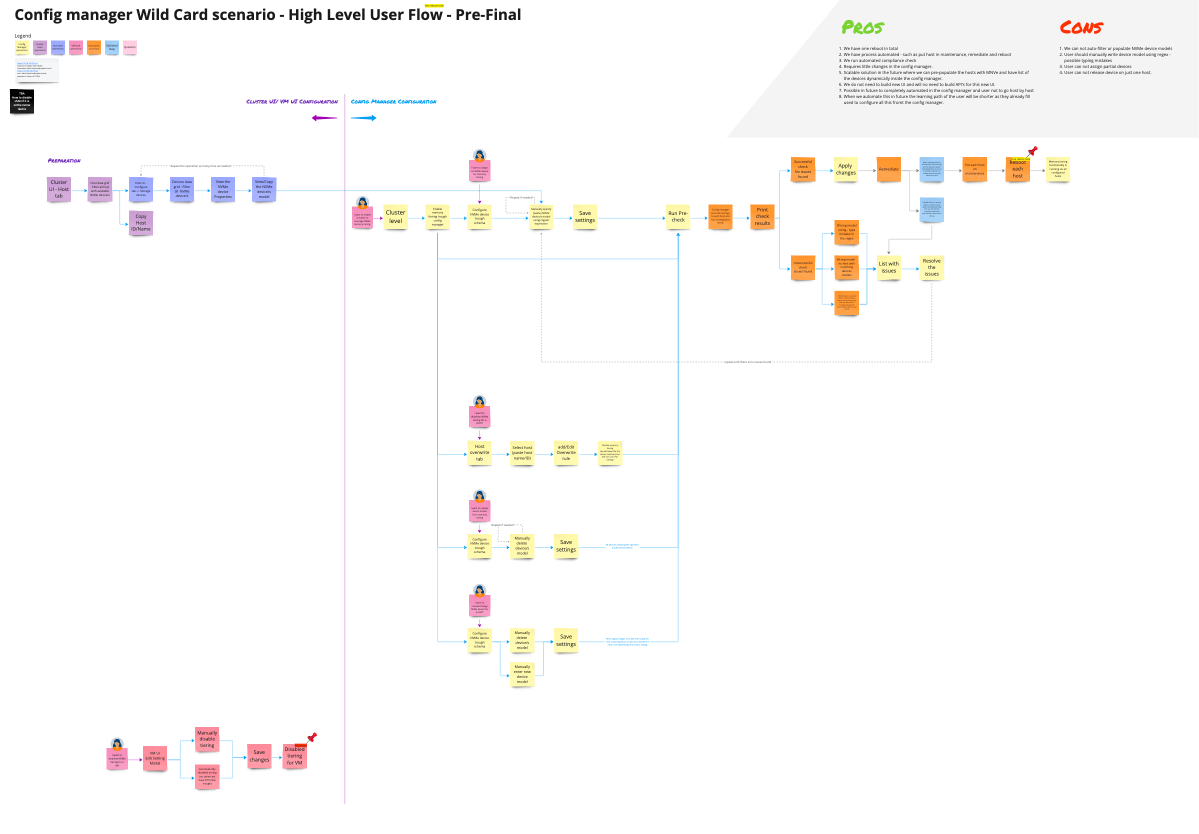
Version 2 - Use Config Manager
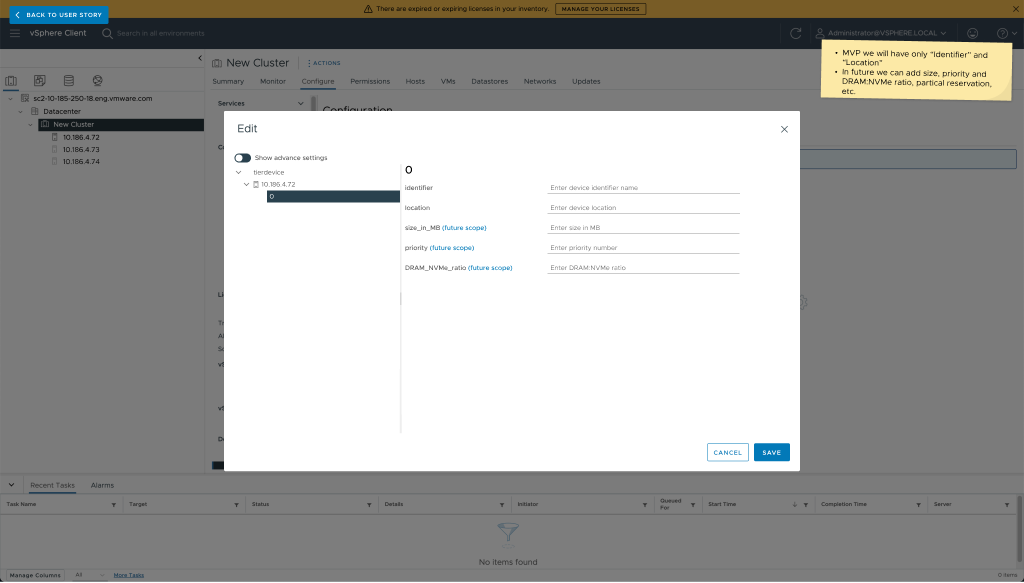
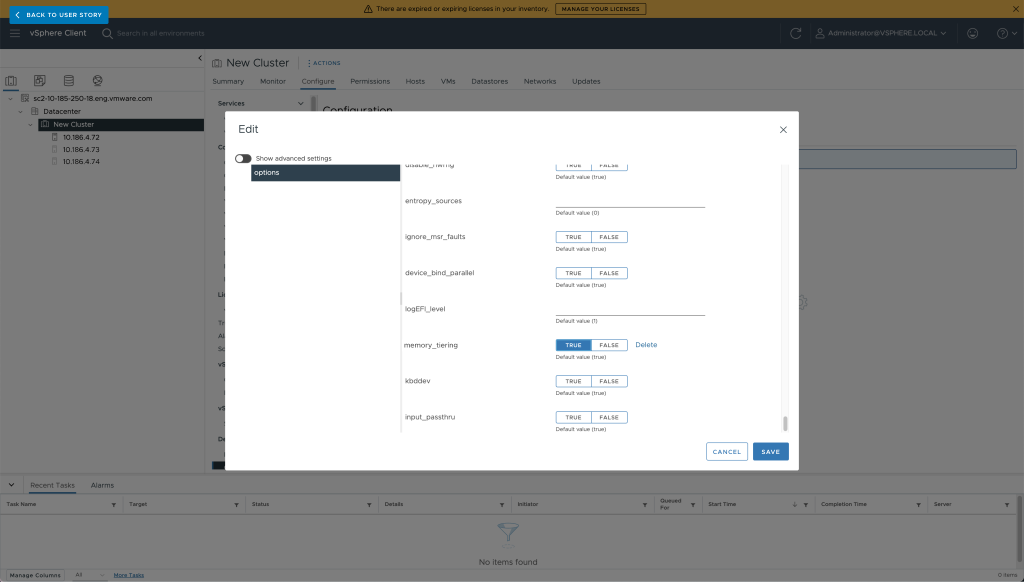
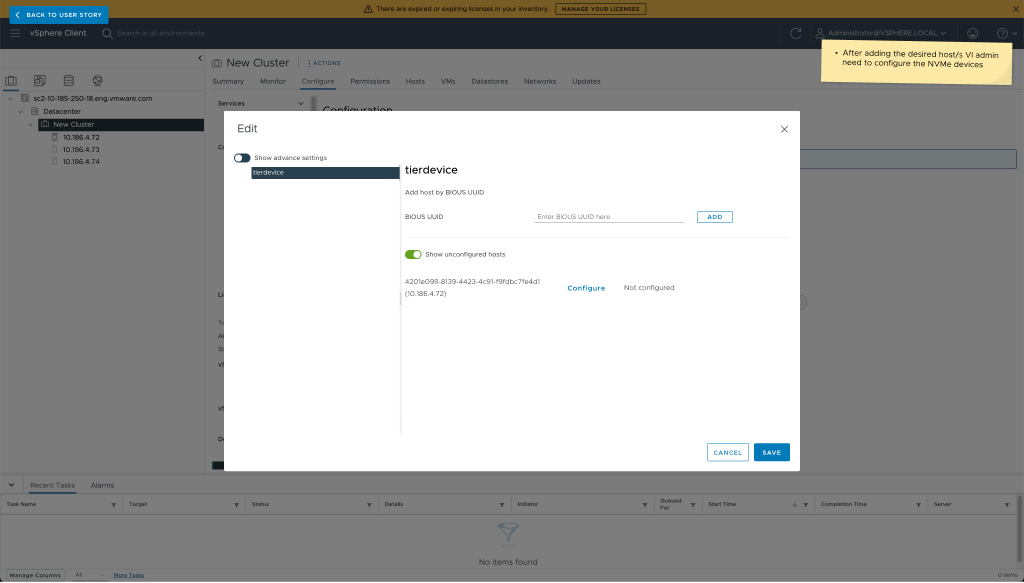
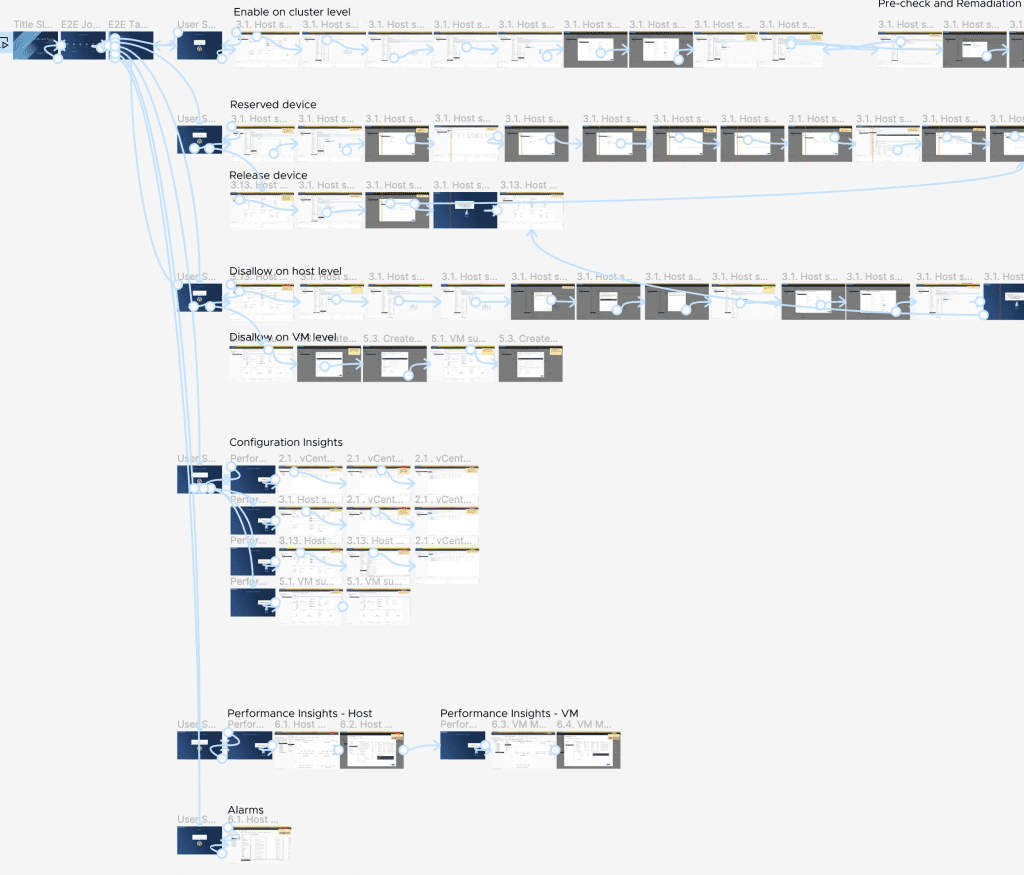
This scenario relies more on utilizing the existing beta version of the central management interface instead of creating a new UI. From a UX perspective, the current config manager has several areas that could be enhanced, but within the scope of this task, these were minor issues. The current config manager offers a single pane of management, enabling users to activate functionality at the cluster level and automate processes for host compliance checks, remediation, and reboots. However, this approach falls short in addressing the user pain points related to automated device reservation. Consequently, users are required to manually reserve devices, one by one, across thousands of hosts.

E2E User story prototype
Design Solution Audit
Pros
One reboot
The functionality is enable on a cluster level, which means that all host are remediate in bulk.
Automated Configuration
There are automated processes, such as host compliance check, putting all hosts in maintenance, remediation, and rebooting.
No UI changes
This approach user current functionality of the config manager which means there is no need of UI or pattern change.
Scalable solution
Future enhancement is to pre-populate hosts with NVMe and have a dynamic list of devices inside the config manager.
No need of new API
As we are using existing UI we do not need to build new API.
Short Learning Curve
When we automate this in the future, the user learning curve will be shorter, as they are already familiar with configuring these tasks from the config manager."
Cons
No automated device reservation
There is no way to automate the device reservation - users must manually paste the device ID to the correct host.
Lack of device information
User can not see list of available device, auto-filter or pre-populate NVMe type of devices.
Partial device reservation not available
Users cannot reserve part of a whole device.
Wild Card Approach
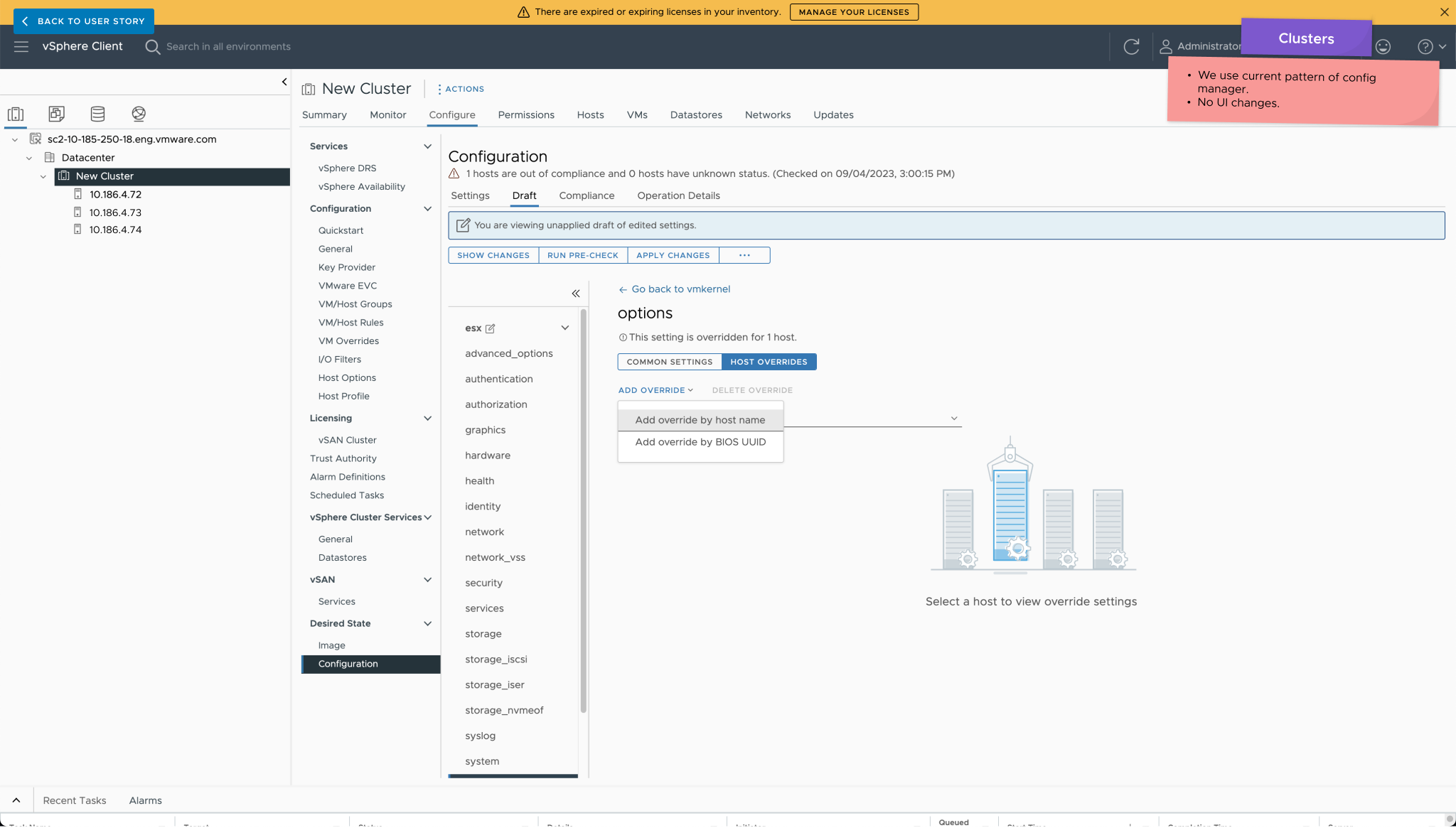
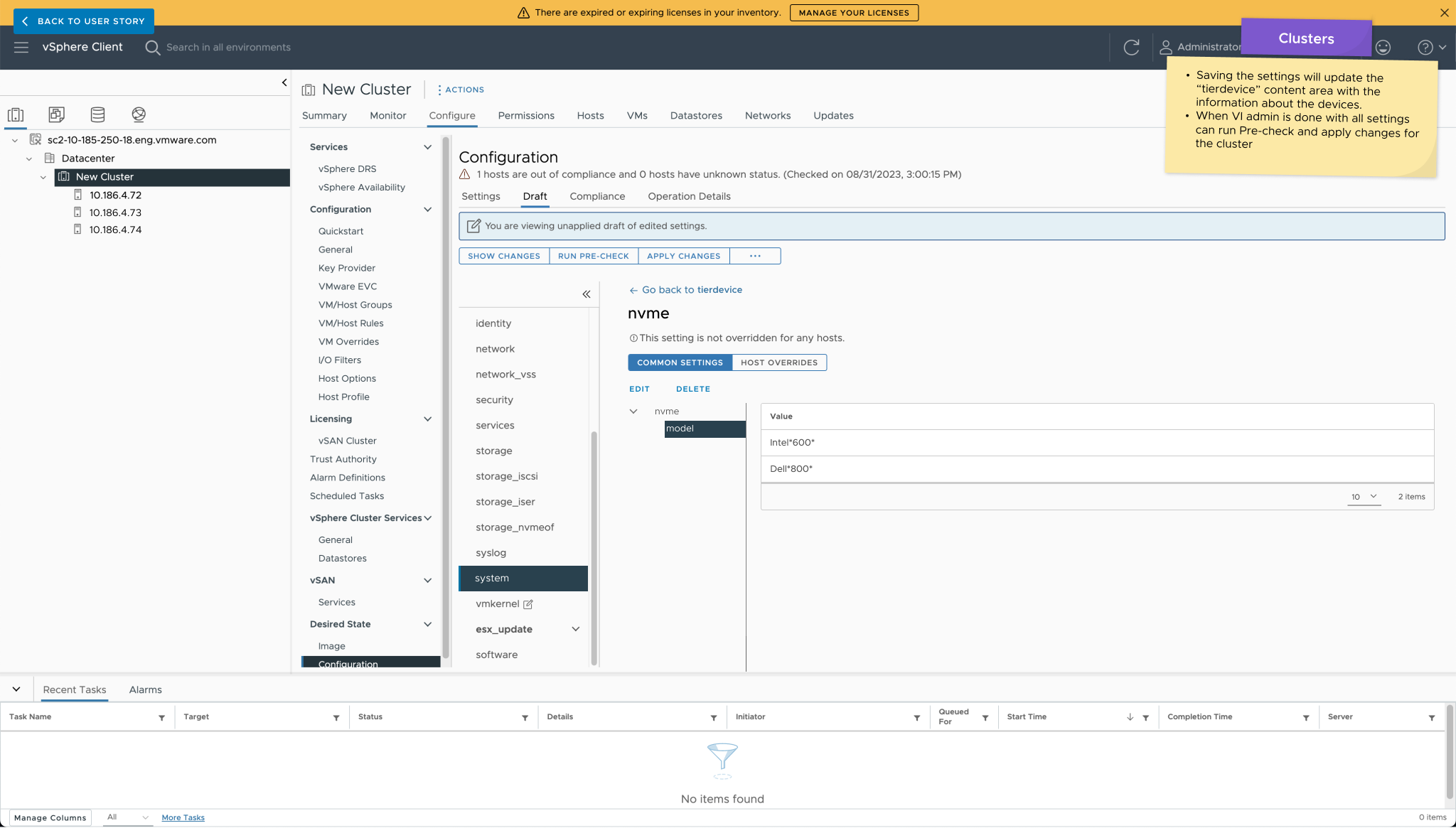
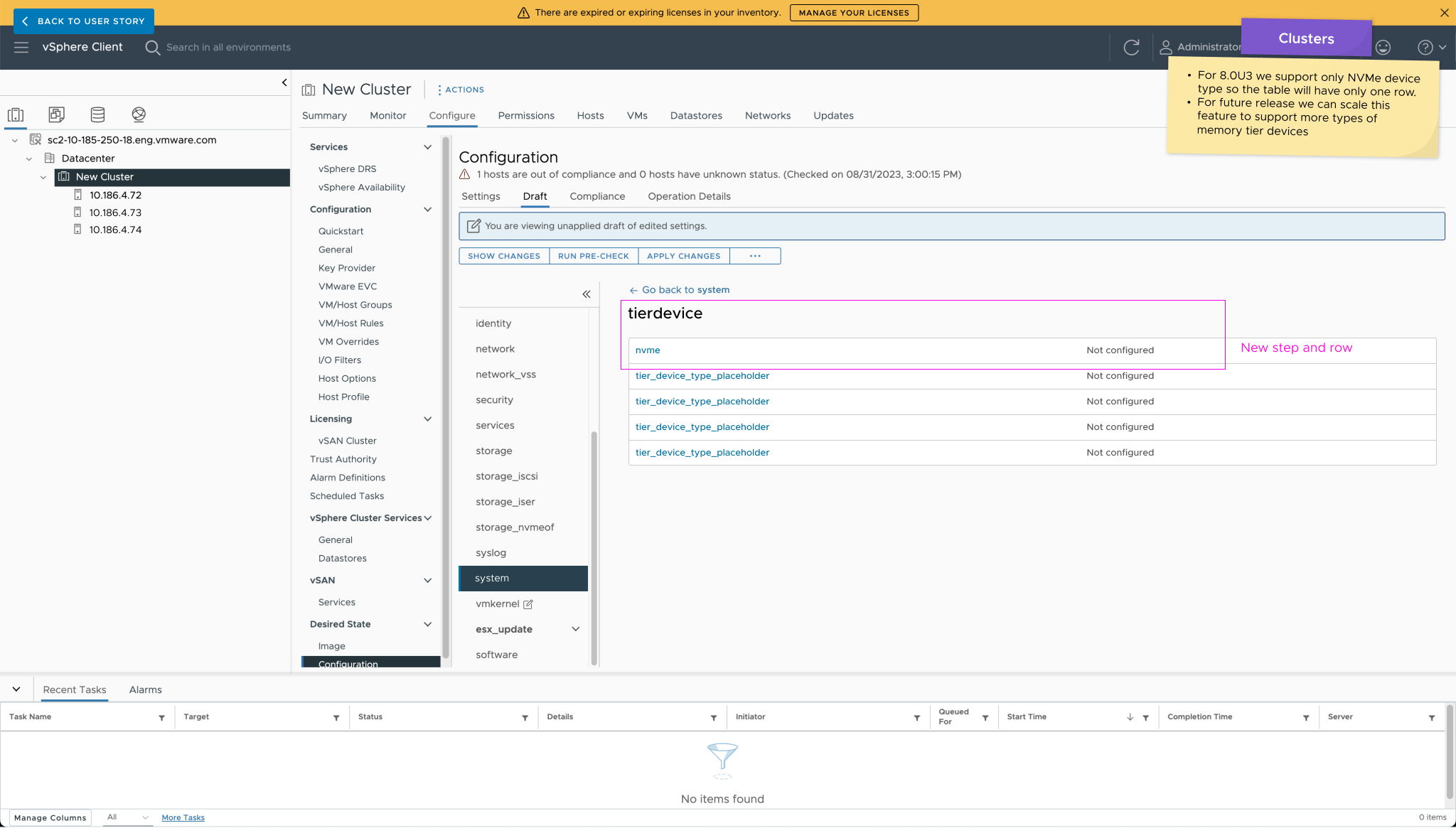
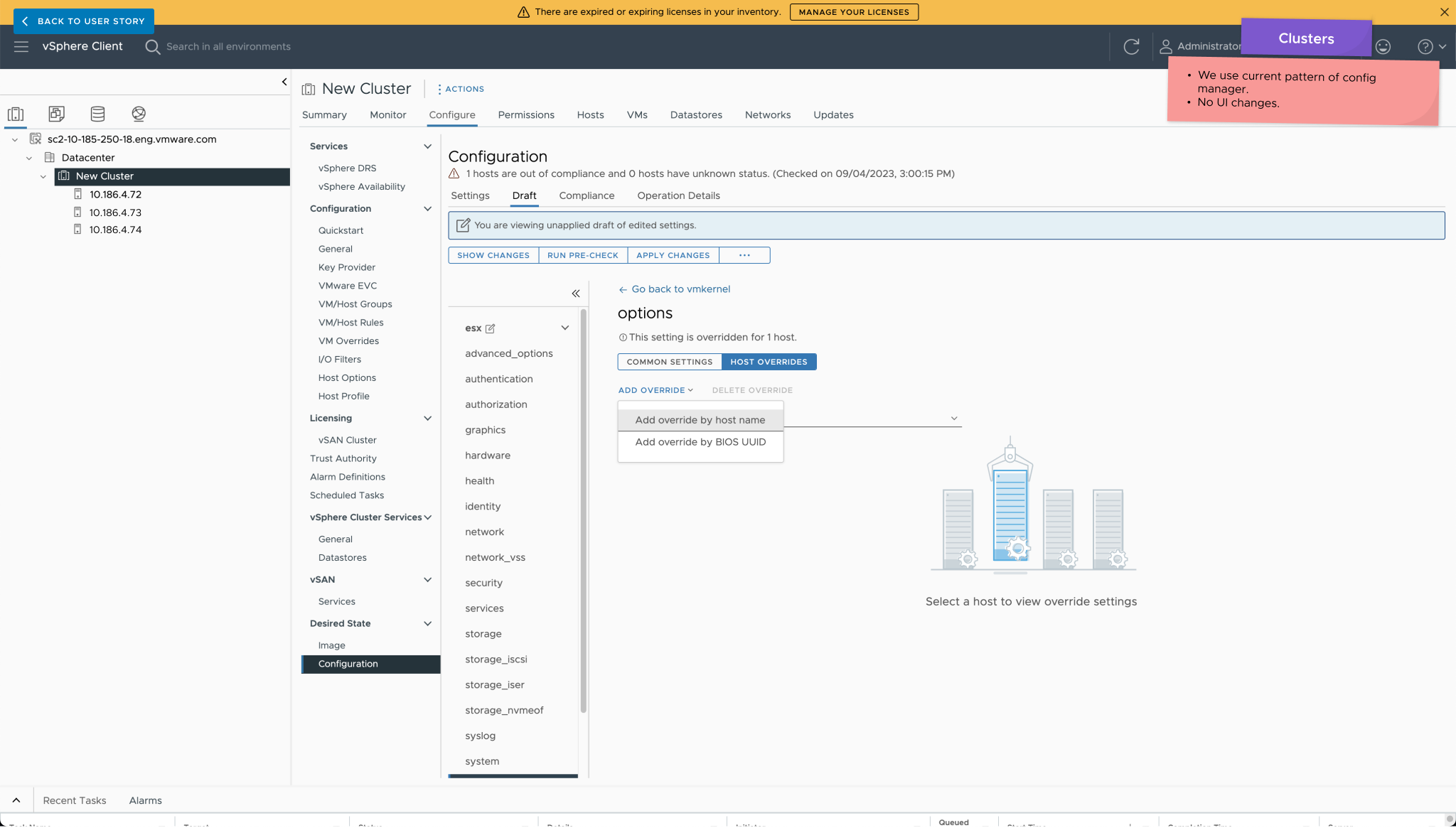
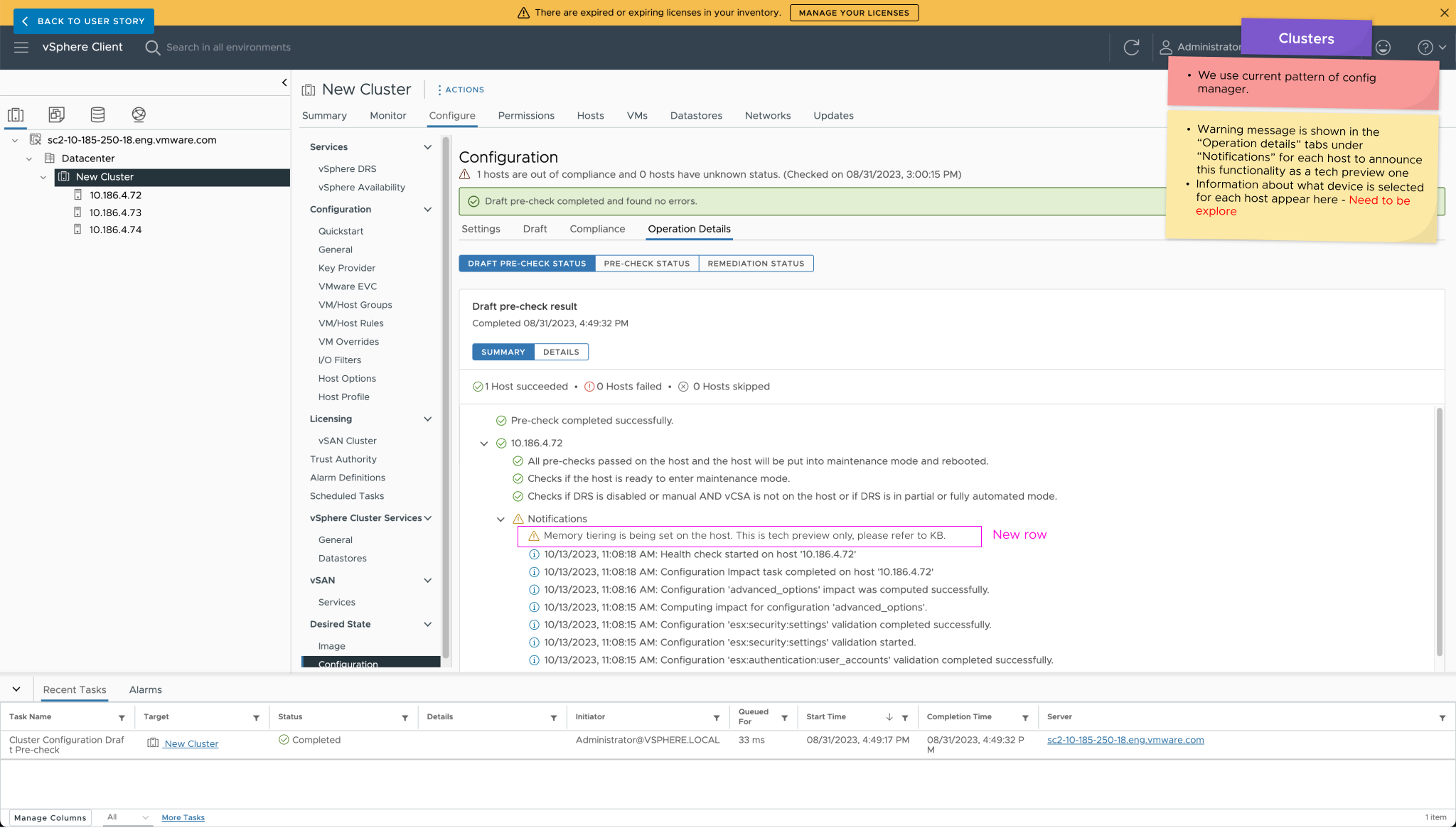
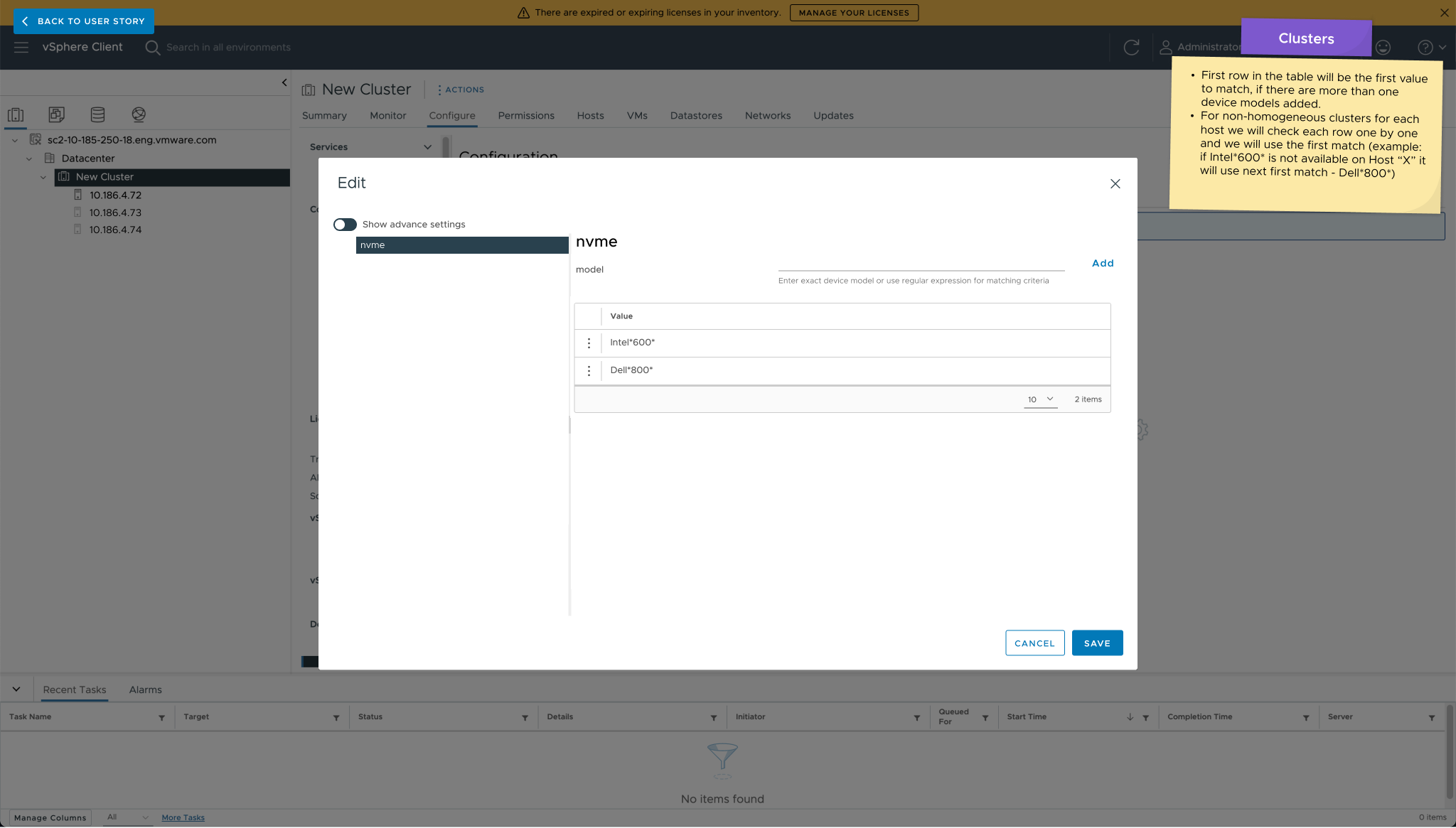
The Wild Card approach, based on Scenario 2, leverages the existing beta version of the central management interface for memory tiering. While the current config manager simplifies cluster-level activation and automates processes, it falls short in addressing automated device reservation, necessitating manual assignments across numerous hosts. In the Wild Card approach, users bypass the need for specific device IDs and utilize their infrastructure knowledge to specify desired device models using regular expressions. This scalable solution allows users to override settings on a host level, accommodating different devices. Chosen as the final approach, it significantly automates tasks, especially in large-scale infrastructures, ensuring scalability and efficiency.

Design Solution Audit
Pros
One reboot
The functionality is enable on a cluster level, which means that all host are remediate in bulk.
Automated Configuration
There are automated processes, such as host compliance check, putting all hosts in maintenance, remediation, and rebooting.
No UI changes
This approach user current functionality of the config manager which means there is no need of UI or pattern change.
Scalable solution
Future enhancement is to pre-populate hosts with NVMe and have a dynamic list of devices inside the config manager.
No need of new API
As we are using existing UI we do not need to build new API.
Automated device reservation
User need to know only the device model installed on the host, which something that is mostly well know form the VI admins.
Short Learning Curve
When we automate this in the future, the user learning curve will be shorter, as they are already familiar with configuring these tasks from the config manager."
Cons
Lack of device information
User can not see list of available device, auto-filter or pre-populate NVMe type of devices.
Partial device reservation not available
For now users cannot reserve part of a whole device and need to enter the model, which can cause mistakes.
User subflows
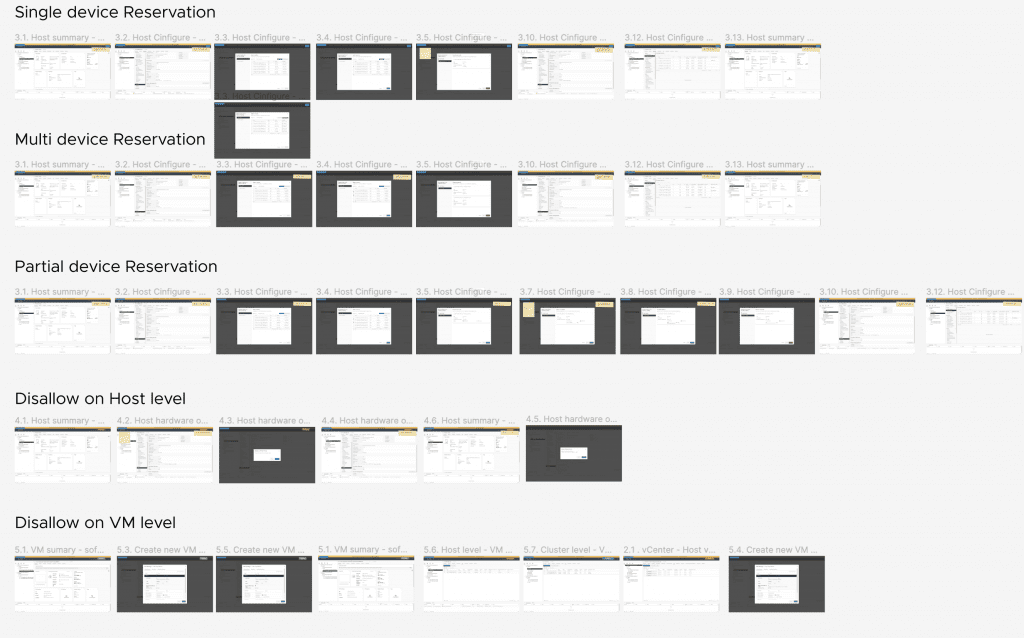
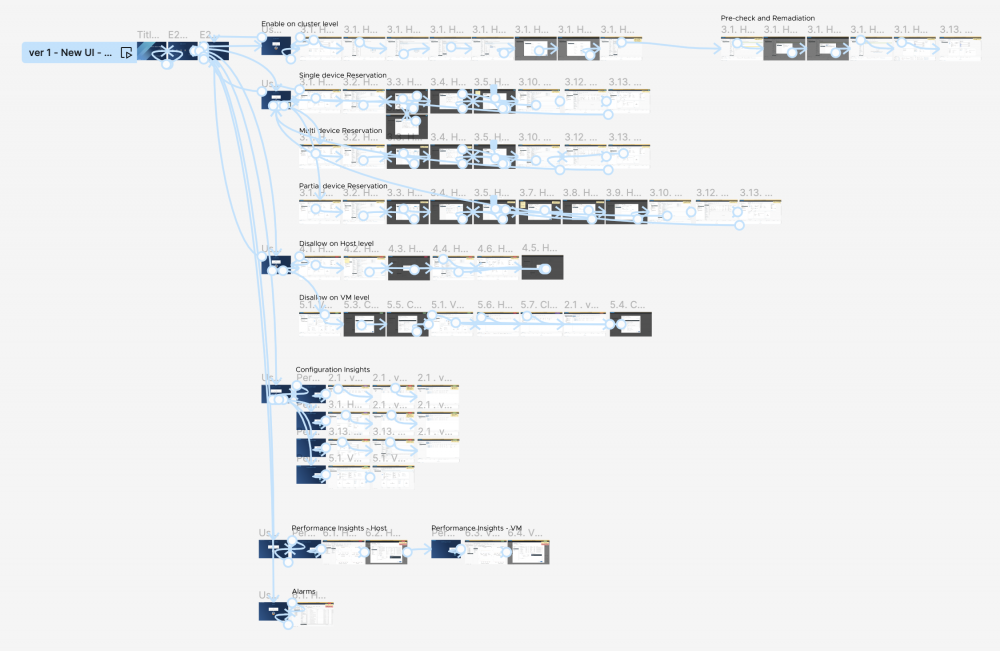
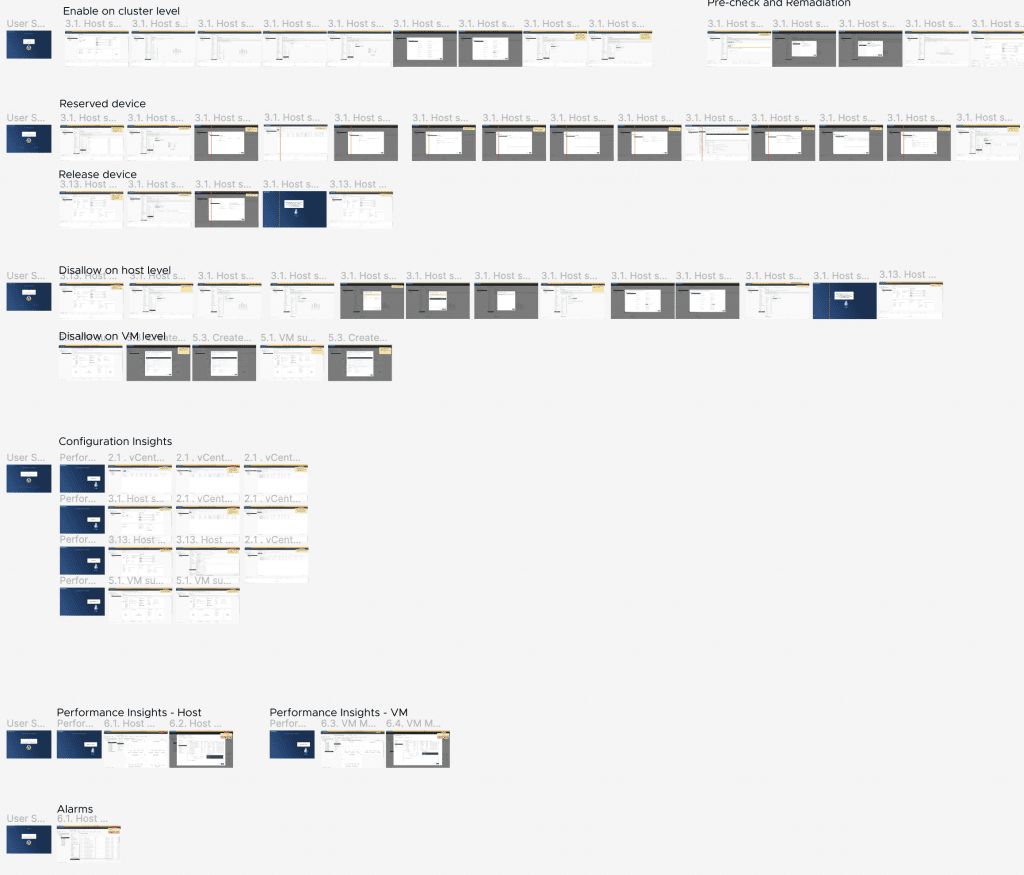
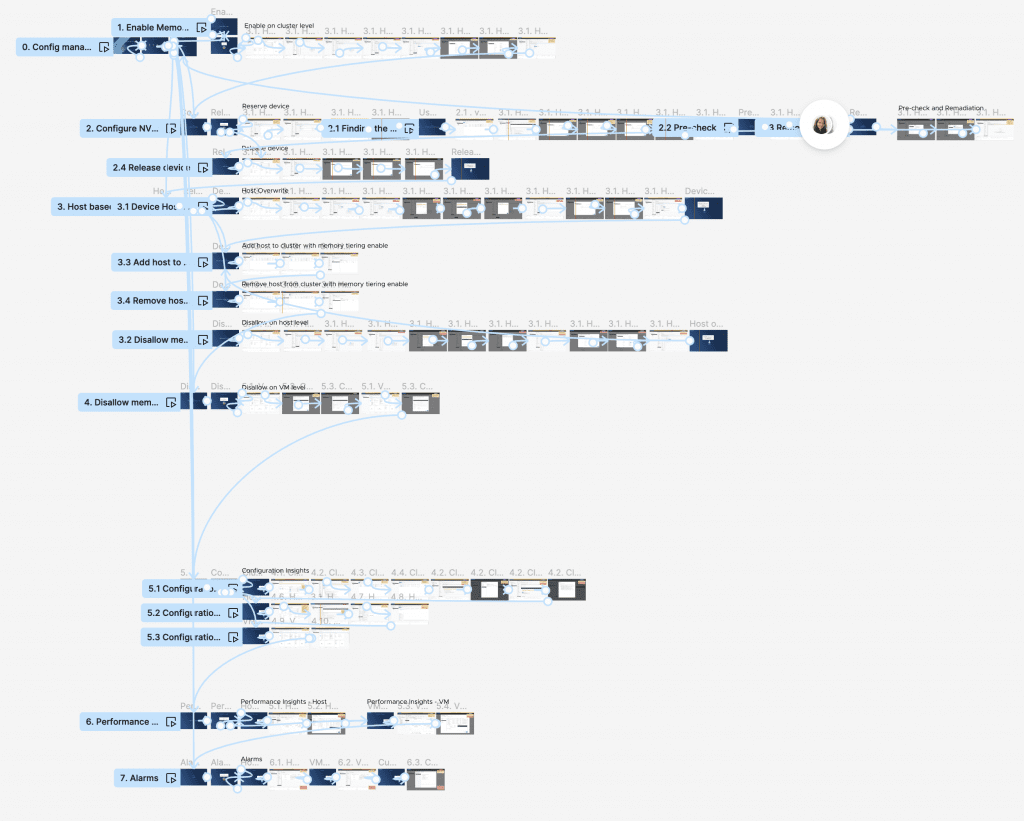
This approach encompasses multiple subflows and necessitates screen changes across various sections within vSphere. Achieving success with this strategy demands a comprehensive understanding of the entire product landscape. It involves a holistic view to discern how alterations and additional functionality will impact different aspects of the vSphere environment. This approach prompts a detailed exploration, not only within specific user flows but also across interconnected functionalities to ensure a seamless integration of the Wild Card approach for memory tiering.
This includes:
Enable tiering on a cluster level
This action requires the user to go inside the Config Manager and set up memory tiering for a specific cluster.
Reserve and release devices on cluster level
VI admins need to go through this flow to specify the device model and reserve/release matching devices for memory tiering. This includes an automatic compliance check to ensure that those devices are not used for another service.
Host override
We allow users to overwrite the device model on the host level, enabling them to add custom options to specific hosts—an important feature, especially when the data center is not homogeneous.
Moving host from clusters with different settings
We had to make sure we cover all scenarios and ensure that when a user moves a host from clusters with and without memory tiering settings, the configurations are transferred, and the user is notified about the host's compliance status.
Disallow memory tiering on host and VM level
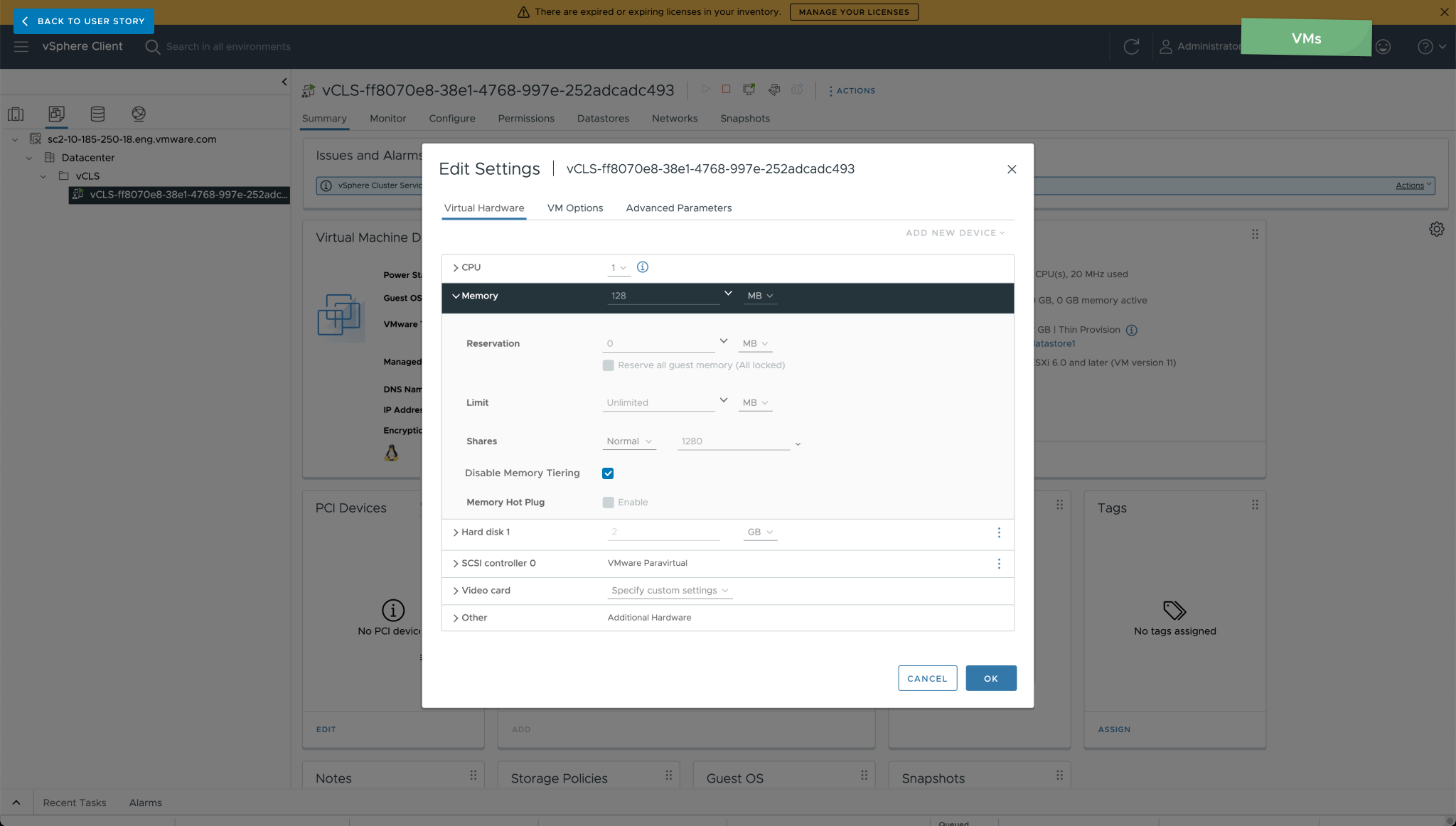
Depending on the use case, some settings on memory tiering, or even just for performance comparison, users may need to have the option to disable memory tiering on both the host and VM levels. This should be applicable to all objects in the cluster, providing users with the opportunity to make such changes.
Configuration insights
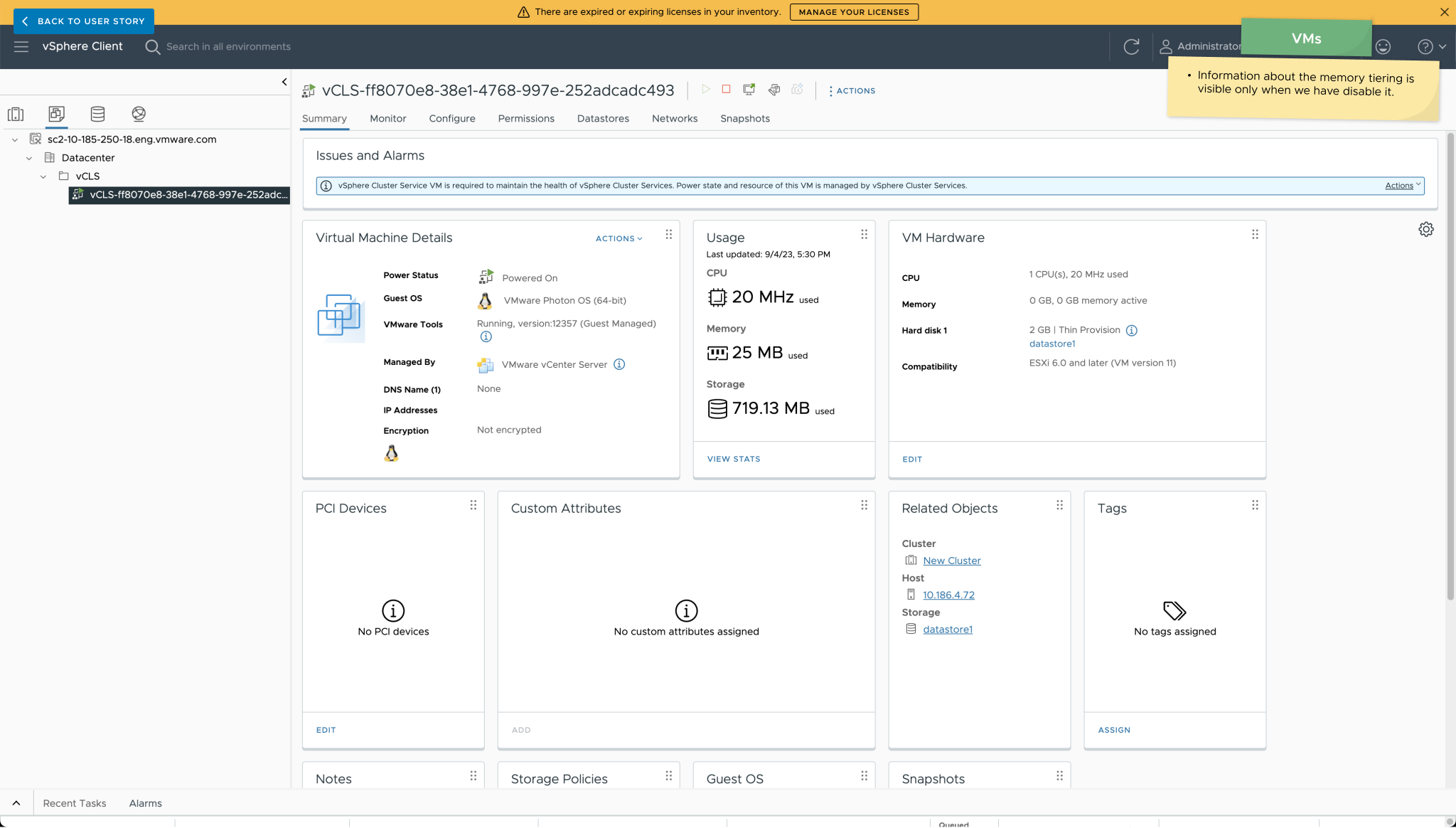
On several places inside vSphere, we have to provide information to the user about their current settings and memory tiering status. As a result, we made some changes in the interface on all levels—cluster, host, and virtual machine.
Performance insights
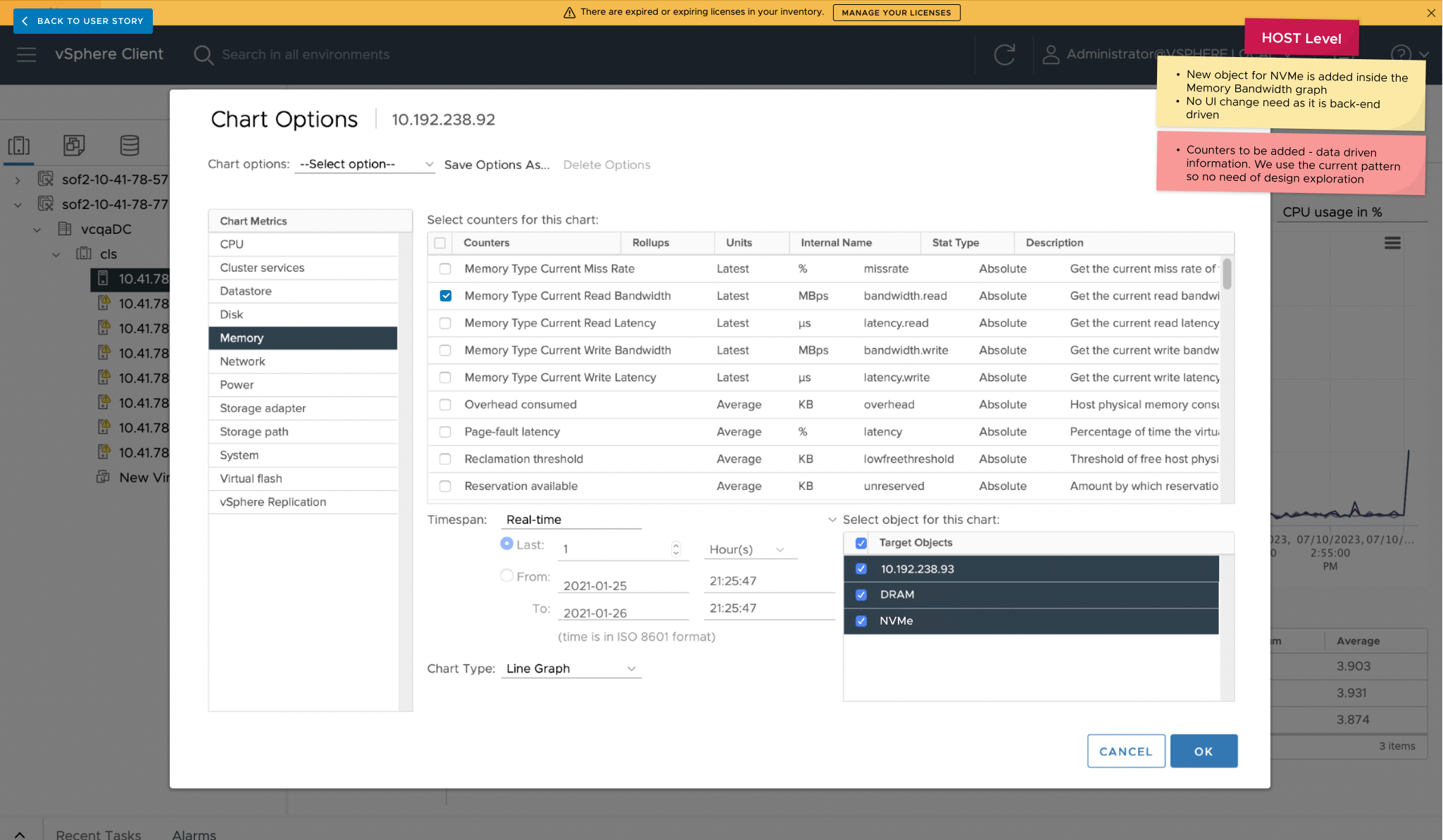
In addition to the configuration changes, to ensure VI admins can truly appreciate the new functionality, we have introduced new charts with performance insights. These charts allow them to monitor NVMe performance KPIs. Both on host and VM level.
Alarms
The new feature comes with some new built-in alarms, but users can also create their own custom alarms that will signal if any critical events based on criteria occur.
High-fidelity Prototype
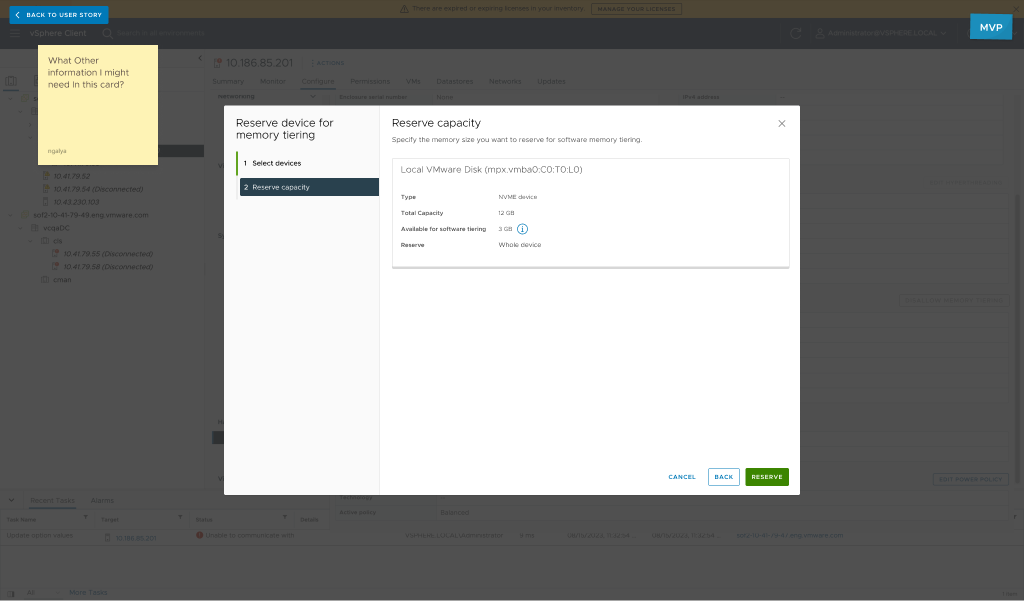
The Figma prototype delivered for this project goes beyond being a mere showcase of the final interface design. It serves as a comprehensive and technically rich guide for the product development team. The prototype is not just a collection of connected images; it includes a plethora of comments, marked points, and crucial annotations. Each element is meticulously explained, providing a detailed roadmap for the implementation of requirements. This approach ensures that the prototype serves not only as a visual representation but also as a robust technical document, guaranteeing that all specified requirements are closely followed and accurately executed by the product and development teams.
Accessibility Considerations
Follow Clarity Design system and the accessibilities guideline
Multi-step modal to make sure we follow the focus escape after closing the modals
Adding explanatory labels and text additionally to all fields and icons
Documentation
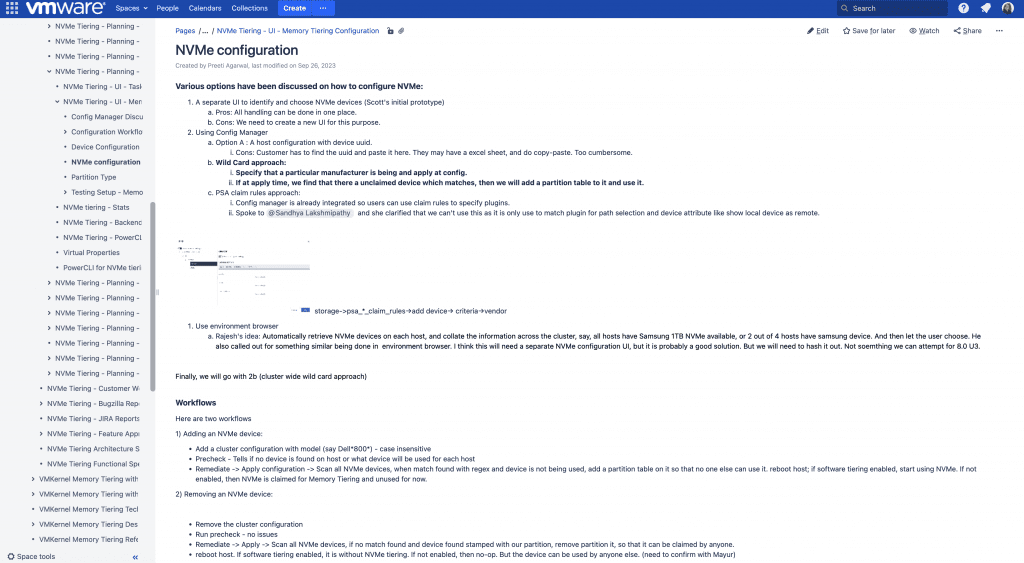
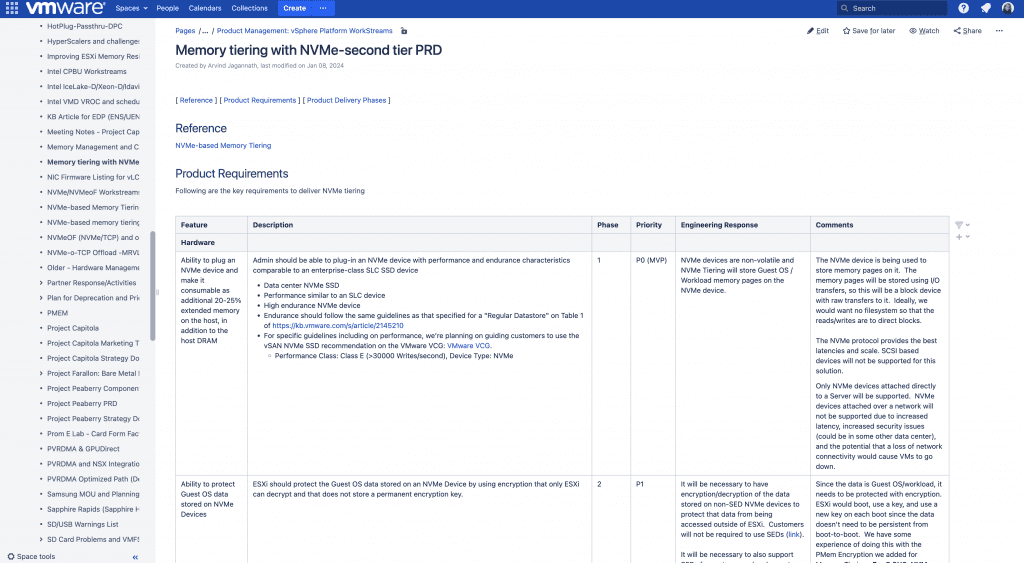
In addition to the meticulous and detailed notes and annotations within the Figma file, this project was thoughtfully packaged with comprehensive documentation in the Confluence space. The documentation encapsulates every step of the process, offering insights into the pros and cons of each version, a thorough explanation of the iterative and decision-making processes, and a compilation of research findings. This extensive documentation not only serves as a valuable reference but also enhances the overall clarity and understanding of the project’s journey.
Takeaways
Next Steps
Takeaways
Impact
Taking on this project meant stepping into a less familiar technical world if data virtualisation. It was a great chance to dive deep into how this technology behind the scenes actually works. I faced a lot of limitations, but they turned out to be valuable learning experiences. This journey not only broadened my knowledge but also challenged me to find smart solutions within the tech’s constraints.
What I learned
I learned a lot about memory, the costs, and how different devices work efficiently. I also gained insights into the config manager, which is basically a code generator in JSON, and why it’s user-friendly for VI admins but was a bit tricky for me initially. Interestingly, I discovered that user interfaces designed for non-technical folks may not be the best fit for my persona.
I also discovered that tackling complex problems sometimes calls for surprisingly simple solutions.
Next Steps
Follow up the implementation of the feature with real users and collect insight for future improvement.
Improve the capabilities of the Config Manager and automate even more the user work.
Improve the overall experience and patterns in the Config Manager.
Thank you!
Thank you for your time reviewing my work on the Real Time Data app! If you’d like to see more or get in touch, my contact information is provided below.